Learning how to setup shop macros in an emulator strategy title forces the most honest conversation in this whole category, because the shop is where convenience and catastrophe share a button. A quick-buy that purchases your standard opening item set with one key is a genuine quality-of-life win. A macro that navigates three nested shop menus while you are fighting is a misclick machine that will, eventually, buy the wrong item at the worst moment and spend the gold your strategy was saving. Layered over both is the rules question: chained purchase sequences sit closer to the automation line than single-action binds do, and competitive strategy titles police their economies. This guide builds the safe version — keymapped quick-buy for your standard purchases, confirmation armour for expensive items, and full click-path macros only where they are both rule-safe and mechanically reliable — and explains exactly where the risky version starts.
First, discover what the game already gives you. Many mobile strategy and MOBA titles include a built-in quick-buy or recommended-item one-tap purchase, and some let you pre-plan an item build order that the shop surfaces as a single ‘buy next’ button. If your game has either, your emulator work shrinks to binding one key to that button — no macro required, no fragility, no rules anxiety. Start there; the macro machinery below is for games without such mercy.
Tier 1: Keymapped Quick-Buy (The Safe Default)
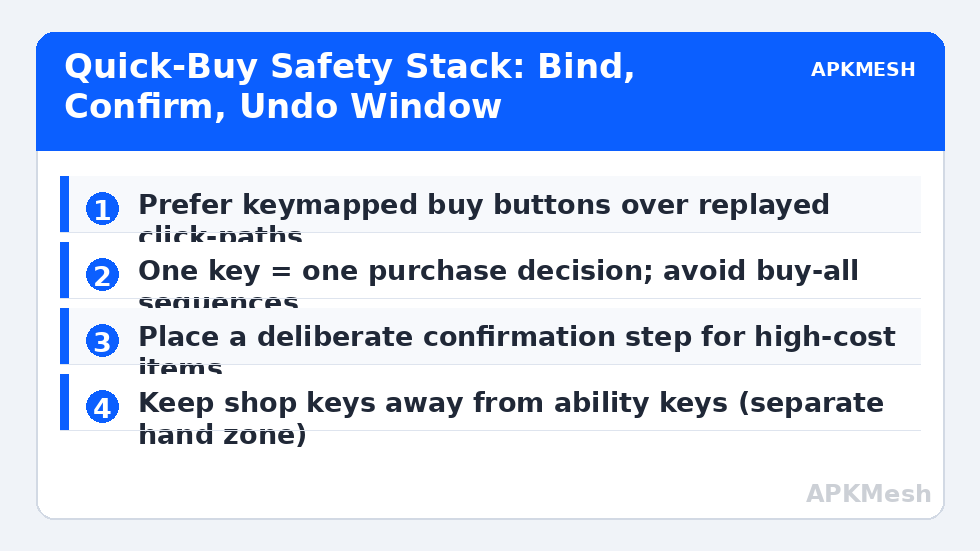
In the controls editor, place tap spots on the shop’s most-used purchase buttons and bind them to keys your left hand owns away from ability keys — the numpad is ideal on a full keyboard, F-keys or number-row keys held with a modifier-free press work on smaller boards. Standard arrangement: one key for your opening item (the shop remembers the tab you left open in many titles, so the button is already on screen), one for the consumable slot (ward/potion equivalent), one for the upgrade of your core item when the shop’s ‘upgrade’ button appears contextually. Each key performs exactly one purchase decision you made consciously in the editor, which keeps this firmly in keymapping territory — the same legitimacy as binding a skill to Q.
Set the shop-open key and the buy keys as a cluster you operate as one motion: open shop (B or P), eyes verify gold and item, buy key, close shop (same key or Esc). The verification beat is not optional garnish; it is the difference between quick-buy and blind-buy, and it costs half a second. Games with a sell-back grace window (refund at full price within a few seconds, common in MOBAs) forgive the remaining mistakes — learn your game’s window and treat anything outside it as final.
Lag risk: —
Tier 2: Short Click-Path Macros (Handle With Care)
Where a purchase genuinely requires navigation — open shop, select category tab, scroll, select item, confirm — a short recorded path in BlueStacks Macro Manager or LDPlayer’s recorder can replay it. The mechanics from our general macro guide apply with strategy-specific cautions: record at your playing resolution; insert generous waits after every menu transition (shop UIs animate slowly under match load, precisely when you will use this); and end the path at the item page with the final confirm as a manual press. That last design choice — macro navigates, human confirms — is the single most valuable safety pattern in this article: it caps the blast radius of a drifted coordinate at ‘opened the wrong shop page’ instead of ‘spent 3,000 gold wrongly’.
Rules check, plainly: automated navigation of a shop in a competitive title may breach that game’s automation policy even with a manual confirm, because the policy often covers chained input sequences rather than outcomes. Read the game’s terms and any published macro stance before using Tier 2 in ranked play; in single-player, co-op and casual modes the risk profile is different but the misclick risk is identical. When in doubt, Tier 1 plus a well-organised shop (favourites tab set to your build) achieves most of the speed with none of the exposure.
| Purchase type | Recommended tier | Key/path design | Confirm step |
|---|---|---|---|
| Opening item | Tier 1 tap spot | One key, shop tab pre-set | Eyes verify before keypress |
| Consumable restock | Tier 1 tap spot | Dedicated key near shop cluster | Grace-window refund as backup |
| Core item upgrade | Tier 1 tap spot | Contextual upgrade button key | Manual press is the confirm |
| Deep-menu component | Tier 2 path + manual confirm | Macro opens path, stops at item page | You press buy yourself |
| Full build sequence | Avoid | — | Automation risk + misclick risk |
| Selling items | Manual only | No macro | Irreversible in many titles |
Misclick Armour: Layout and Habits
Where the buy keys physically live decides how often they fire accidentally. Keep them off the home row and off any key your ability fingers rest on; the numpad and the F-row are deliberately ‘travel’ keys, pressed by intention. In the editor, check that no buy tap spot overlaps the map or ability zones (an invisible overlap means a combat click can become a purchase — the overlay check from our overlay guide catches this in seconds). Add a personal rule: shop keys are dead while a team fight is audible; the shop will still be there in the lull, and your gold will be too. If your keyboard supports per-key lighting, colouring the shop cluster distinctly is a small luxury with a real error-reduction payoff.
Finally, rehearse the emergency: most titles allow sell-back at full value briefly, then partial, then none. Know your game’s numbers and practise the undo motion (open shop, select item, sell) once in a bot match so the first time you need it is not the first time you have done it. Quick-buy systems earn their name over a season of matches; the armour is what lets you keep trusting them after the inevitable bad purchase.
Putting It Together: A Reference Cluster
Reference layout for a MOBA-style shop on a full keyboard: B opens/closes shop; numpad 1 opening item; numpad 2 consumable; numpad 3 core upgrade; numpad 0 sell-back of last purchase (where the game supports a last-item sell button); Tier 2 path (if rules allow) on numpad Enter ending at a component page awaiting your confirm press on numpad 5. Strategy/RTS-style titles with build menus substitute their production shortcuts for item keys but keep the geometry: one cluster, one hand zone, confirmations manual for anything costing more than a consumable. Document the cluster in your profile note — shop keys are the bindings future-you forgets first, and the ones whose meaning is least guessable from the layout alone.
Related Keymapping Guides
More from this category is collected in the Keymapping Guides archive. These companion guides go deeper on the topics touched above:
- macro mechanics and fair-play rules
- mouse wheel zoom for strategy maps
- MOBA skill and item keybindings
Frequently Asked Questions
Are quick-buy macros allowed in competitive strategy games?
Single keymapped buy buttons (one key, one purchase you chose) are ordinary keymapping. Chained macros that navigate menus automatically are treated as automation by many competitive titles and may breach their terms. Read your game’s policy; when in doubt, stay with Tier 1 binds and manual confirms.
How do I stop accidental purchases during fights?
Move buy keys away from ability keys (numpad or F-row), check for tap-spot overlaps with the overlay, and adopt the habit: open shop, verify with your eyes, then press. Also learn your game’s sell-back grace window so a true accident is refundable.
Why does my shop macro buy the wrong item after updates?
Shop macros replay coordinates; game updates move items and tabs. Either re-record the path after UI changes or, better, redesign so the macro only navigates and you press the final buy yourself — then drift costs a wrong page, not your gold.
What if the game has a built-in quick-buy or build planner?
Use it. Bind one emulator key to the game’s own ‘buy next’ button and skip macros entirely: it is faster to maintain, survives UI updates better, and carries no automation-policy risk.
Should selling items ever be macro’d?
No. Selling is frequently irreversible or heavily penalised, and a drifted coordinate there is pure loss. Keep selling fully manual, and practise the sell-back motion once in a bot match so you can undo a genuine mistake quickly.