

A character who walks by himself, a camera that creeps while you read a map, a racing line that never quite centres: these are dead-zone and drift problems, and they are diagnosable. To calibrate controller dead zone emulator settings properly you need to separate three different faults that players lump together: a worn stick that reports movement at rest, an emulator dead zone set too small to hide that movement, and a mapping zone placed slightly off the game’s true centre. Each fault has a different fix, and applying the wrong one merely trades one annoyance for another.
This guide gives a complete diagnostic routine you can run in about fifteen minutes: observe the pad in Windows, observe it again inside the emulator, measure how much rest movement your particular controller produces, and then set the smallest dead zone that reliably hides it. It also covers axial versus radial dead zones where the option exists, why racing and flight titles tolerate larger zones than shooters do, and when the honest answer is that a controller has reached the end of its useful life for precision games.
Diagnose in Windows Before Blaming the Emulator
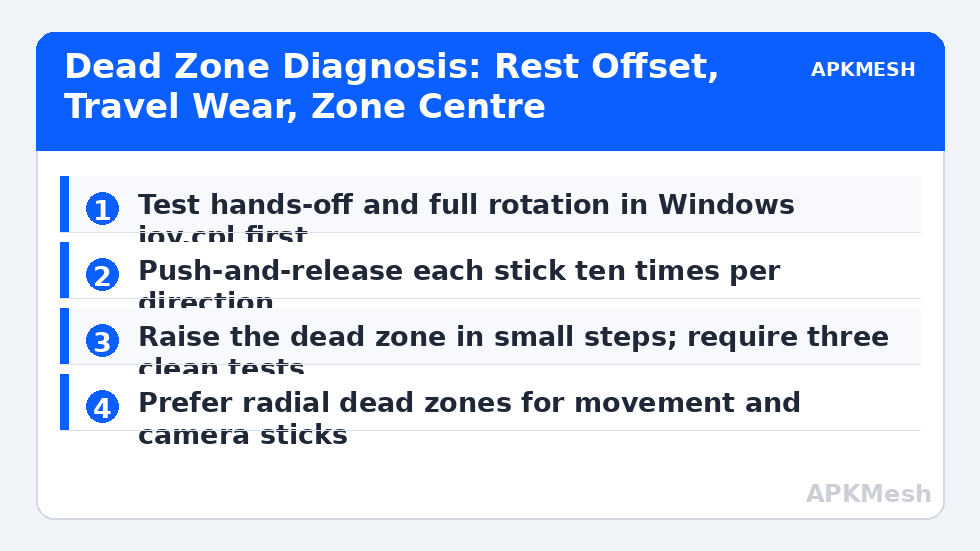
Open the Windows game controllers panel, select your pad, and watch the axis indicators with your hands completely off the sticks. A healthy stick rests at or extremely near centre on both axes. A drifting stick shows a consistent offset in one direction, or a marker that trembles around a point away from centre. Note the direction and rough size of the offset, then rotate the stick slowly in a full circle and watch whether the indicator traces a smooth loop or jumps and sticks in places. Spikes and flat spots during rotation indicate wear that no dead zone can fix, because the fault occurs throughout the travel, not only at rest.
Repeat the hands-off test after a few minutes of play, with the controller warm and the cable or wireless link in its normal position. Some drift appears only intermittently, nudged by cable strain or by a stick that does not quite return after a hard push in one direction. Push each stick firmly to one side, release it, and watch where it settles, ten times per direction. If it settles off-centre after pushes from one side only, the return spring on that side is weakening, and your dead zone must cover the worst settle point you observed, not the average.
| Symptom | Likely cause | First fix | Not the fix |
|---|---|---|---|
| Constant slow walk in one direction | Rest offset beyond current dead zone | Raise dead zone in small steps | Rebinding movement keys |
| Camera trembles near centre | Noisy potentiometer at rest | Slightly larger dead zone plus cleaning | Lowering sensitivity, which hides nothing |
| Character fine at rest, jumps while turning | Worn track mid-travel | Test rotation in Windows; consider replacement | Any dead-zone change |
| Drift only in one game | Mapping zone off centre in that scheme | Re-centre the stick zone in the editor | Raising the global dead zone |
| Dead spot when starting a gentle move | Dead zone set too large | Reduce until drift just returns, then add a step | Accepting it as normal |
Setting the Dead Zone: Smallest Value That Works
Find the dead-zone control in your emulator’s gamepad settings or scheme editor and begin from a low value. Enter a game or test screen where rest drift is obvious, such as a character standing on flat ground with the camera free. Raise the dead zone in small increments, testing hands-off for a full ten seconds after each change, Long enough for intermittent drift to show itself. Stop at the first value that gives you three clean ten-second tests in a row. That value is your controller’s current requirement; write it down with the date, because the number tells a story over time. A pad that needed a small zone last year and a much larger one now is a pad planning its retirement.
Understand the cost of every increment. A dead zone discards real input around centre, so gentle movements must travel further before the game responds, and the response then starts abruptly rather than gradually. In a shooter that harms fine aim correction; in a platformer it harms walking-speed control; in a slow strategy or RPG title it may never be noticed. That is why dead zones should be per-game where the emulator allows it: one honest value for the worn pad in a forgiving game, and a different controller altogether for the title that punishes a large zone.
Lag risk: —
Axial, Radial and the Shape of the Dead Zone
Where settings offer a choice, an axial dead zone treats each axis separately and creates a cross-shaped inactive region, while a radial dead zone measures distance from centre and creates a circle. Radial usually feels better for camera and movement sticks because gentle diagonal inputs are judged by their total size, matching how a thumb actually pushes. Axial can leave a diagonal input partially alive when one axis clears its threshold and the other does not, which some players feel as a direction that leans. If your emulator only offers a single size value, it is almost certainly applying it internally in one fixed shape; do not chase the other shape through sensitivity settings, which change a different property entirely.
Some games apply their own dead zone on top of the emulator’s, and the two add together. If a title still feels dead around centre after you have set the emulator zone to its minimum honest value, look in the game’s controller options for its own slider and reduce it there. The target is a combined zone that just covers your pad’s rest noise, with neither layer carrying a large default the other did not need.
Cleaning, Cable Strain and Knowing When to Replace
Before accepting a large dead zone, try the free remedies. Dust and grit around a stick’s base can add noise; a short burst of compressed air around the rim, with the controller powered off, sometimes restores a clean centre. Cable strain matters for wired pads: a cable pulling the controller or stressed at the connector can bias how the stick sits, so reroute it with slack. For wireless pads, test with a fresh charge and the receiver in clear sight of the pad, because a struggling connection can mimic analogue noise in some setups, even though true drift is usually mechanical.
Replacement becomes the honest answer when drift exists throughout the travel, when the required dead zone has grown so large that gentle control is impossible in your main games, or when the settle point after pushes varies wildly. Hall-effect sticks, offered in an increasing number of third-party controllers, resist this wear pattern by sensing position magnetically rather than through a rubbing contact. Whichever pad you choose next, run this same diagnostic on it in its first week, while returning it is still easy, and record its starting dead-zone requirement as the baseline for its whole life.
Related Keymapping Guides
From the APKMesh homepage you can browse all emulator topics; the natural next reads are:
- configuring D-pad and joystick sensitivity for platformers which builds directly on a calibrated centre
- connecting Xbox and PlayStation controllers for pairing and input-mode checks before calibration
- converting sensitivity between emulator shooter games once your stick or mouse input is trustworthy
- flight stick and HOTAS setup where centre calibration decides whether an aircraft flies straight
Frequently Asked Questions
How large should my controller dead zone be?
As small as your specific controller allows. Increase the value in tiny steps until the character or camera stays still through three ten-second hands-off tests, then stop. Typical healthy pads need only a small zone; a pad that needs a very large one is telling you its stick is worn, especially if the requirement keeps growing.
Can a dead zone fix stick drift permanently?
It hides drift at rest but does not repair the worn sensor causing it. Drift that appears during movement, spikes while rotating the stick, or grows steadily month by month will eventually exceed any usable dead zone. Treat calibration as a way to extend a pad’s comfortable life and as a diagnostic, not as a cure.
Why does my character drift in one game but not another?
The mapping is the first suspect: that game’s scheme probably has its stick zone placed slightly off the virtual joystick’s true centre. Re-centre the zone in the editor before touching global settings. A second cause is the game adding its own dead zone differently, but geometry errors are far more common.
Is radial or axial dead zone better?
Radial suits most movement and camera sticks because it judges input by total distance from centre, matching how a thumb pushes diagonally. Axial treats each axis separately and can feel like it leans toward the stronger axis. If your emulator offers the choice, try radial first and keep the size identical while comparing.
Does cleaning a controller actually reduce drift?
Sometimes, when the cause is dust or grit around the stick mechanism adding noise near centre. A short burst of compressed air around the base with the power off is free and worth trying. Cleaning cannot restore a worn resistive track, so if a rotation test in Windows shows spikes mid-travel, replacement is the realistic path.