Fighting games and fast action titles regularly ask for two or three touches at the same instant: a throw is two buttons together, a special move is an attack plus a direction held at the moment of impact, and a team assist is a shoulder-style call that must land during another animation. On a keyboard those chords are playable, but hand position and keyboard rollover set real limits, which is where multi-touch combo keys emulator controls solve the problem at the mapping layer: one key in the emulator editor presses two or more touch points simultaneously, so a chord you cannot reliably finger becomes a single deliberate press.
This guide explains how combo or simultaneous-touch controls work in BlueStacks and LDPlayer style editors, which chords deserve a combo key and which should stay manual, and how to keep combo keys honest. A combo key is not a macro: it fires one simultaneous press, not a timed sequence, and that distinction matters both for game rules and for your own improvement as a player. If a technique needs timing between inputs, a combo key cannot and should not do it for you.
Which Chords Deserve a Combo Key
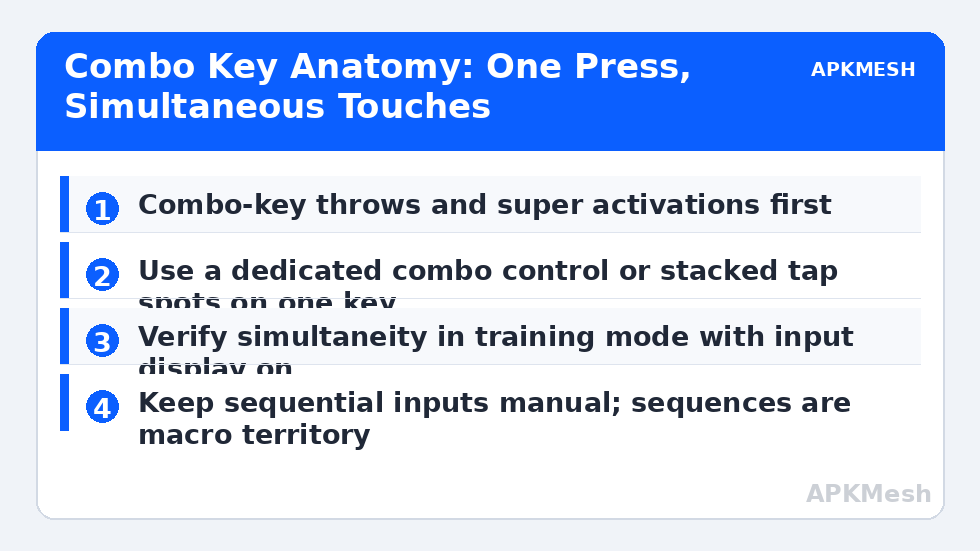
Start by listing the simultaneous inputs your game actually demands. Typical candidates are throw or grab (two attack buttons together), dash or run triggers that pair a direction with a dedicated button, block plus direction for guarded movement, a special or super move activated by two or three buttons at once, and call-assist combinations in tag fighters. Rank them by how often they appear and how badly a missed chord is punished. A throw you attempt ten times a match deserves a combo key; a victory pose combination you use twice a year does not.
Leave ordinary sequential inputs alone. Light into medium into heavy is a sequence, not a chord, and mapping sequences is macro territory with different rules and different risks. Also leave at least the fundamentals manual during your learning period: a new player who combo-keys everything never develops the hand independence the game expects later, when a character or a sequel rearranges the chords. Combo keys are best treated as accessibility for the physically awkward, not as a replacement for learning the instrument.
| Chord | Touch points combined | Suggested combo key | Keep manual if |
|---|---|---|---|
| Throw / grab | Light attack + light kick equivalents | Q or a mouse side button | Your hand reaches both buttons easily |
| Super / special activation | Two or three attack buttons | E or Space-adjacent key | The game allows a generous input window |
| Dash chord | Direction tap zone + dash button | Shift with direction held | Double-tap dash already feels natural |
| Assist call | Assist button + current stance | R or F | Assists are rare in your team’s plan |
| Block + direction | Guard button + joystick direction | Hold-style key near movement hand | Guard is already on a comfortable hold key |
Building a Combo Control in the Editor
In editors that offer a dedicated combo or multi-point control, place it over the group of buttons it must press and assign its key. In editors without one, the usual construction is to stack two tap spots at their respective buttons and bind both to the same key, which many builds accept. Test the construction in training mode with the input display enabled if the game provides one: a true simultaneous press shows both inputs arriving on the same frame or within a frame or two, while a faulty construction shows a visible stagger. Stagger matters, because some games read a staggered pair as a sequence and give you the wrong move entirely.
Position combo keys where the hand that is not doing the main work can reach them. In a typical layout the movement hand is already busy with directions, so combo keys often live under the attack hand’s spare fingers or on mouse side buttons for mouse-assisted schemes. Avoid placing a combo key adjacent to a button it resembles in purpose; throw next to block is a recipe for the wrong chord under pressure. Name each combo control in the editor with the move it produces, not the keys it combines, so the scheme remains readable months later.
Lag risk: —
Timing Windows, Buffers and Honest Limits
Most modern fighters accept simultaneous inputs within a small window rather than demanding true same-frame presses, which is why human chords work at all. A combo key simply removes the variance from your side of that window. It cannot extend the window, fix a move that also needs a direction completed at the right moment, or help with charge moves that require a button held for a set duration before release. Map those honestly: charge moves need a hold, directional specials need your direction hand to be correct, and the combo key only guarantees the final buttons land together.
Online rules deserve a sentence of their own. A single press producing simultaneous standard inputs is functionally the same as a controller with extra buttons, and is widely treated as ordinary keymapping. Anything that adds timed sequences, repeats, or conditional logic crosses into macro territory, where individual games set their own prohibitions. Keep combo keys to one press, one simultaneous result, and you stay on the keymapping side of that line.
Training With Combo Keys Without Becoming Dependent
Practise in two passes. First, with the combo key, learn the situations: when a throw is the right answer, how the super move changes a round, where the assist call fits your team’s rhythm. Situational knowledge transfers even if the execution method changes. Second, spend a short weekly drill attempting the same chords manually in training mode, without any match pressure. Many players find the manual version becomes reliable once the panic is removed, and they retire the combo key for that move. Others keep it permanently for one physically painful chord, which is also a perfectly good outcome. The goal is a layout that serves your hands, not a purity test.
Record which moves remain combo-keyed in your scheme notes, with the reason. If you switch characters, emulators or PCs, that note tells you exactly what to rebuild first and what was a temporary training aid you no longer need.
One final check protects you on patch day: after a game update, revisit the training mode before ranked or online play and re-run each combo key once. Updates move buttons, resize interfaces and occasionally add a new simultaneous move that deserves its own binding. Five minutes of verification in training is far cheaper than discovering a shifted tap spot during a match, and it keeps your written scheme notes honest about which game version the layout was built for.
Related Keymapping Guides
From the APKMesh homepage you can reach the whole keymapping library; the closest companions are:
- creating custom macro scripts to understand exactly where combo keys end and macros begin
- double-tap and swipe gestures on keyboard and mouse for the other multi-part inputs action games demand
- remapping MMORPG skill rotations and hotbars for chord thinking applied to long ability bars
- keymapping rhythm games where simultaneous lanes raise the same rollover questions
Frequently Asked Questions
Is a combo key the same as a macro?
No. A combo key produces one simultaneous set of inputs from one press, like pressing two controller buttons with one finger. A macro plays a timed sequence of inputs, which is a different capability with different rules in most games. Keep combo keys simultaneous and single-step and they remain ordinary keymapping.
Why does my combo key sometimes produce the wrong move?
Usually the combined touches are arriving staggered instead of simultaneously, so the game reads a sequence. Test in training mode with an input display if available, rebuild the control as a dedicated combo control if your editor offers one, and check that no second control sharing the key is delaying one of the presses.
Which chord should I combo-key first in a fighting game?
The throw or grab, for most players. It is attempted often, punished when missed, and usually awkward because it pairs buttons controlled by different fingers. Super activations are the second candidate. Leave sequential combinations manual, because those are timing skills a combo key cannot perform anyway.
Can combo keys help in action games outside the fighting genre?
Yes. Simultaneous dodge-plus-attack cancels, aim-plus-ability pairs in action RPGs, and call-ins that need a modifier held all benefit from the same construction. The test is identical: if the game wants two touches at the same instant and your hand cannot deliver them reliably, a combo key is a legitimate mapping answer.
Should I tell opponents or tournament organisers about combo keys?
For casual online play, combo keys are ordinary emulator keymapping and need no announcement. For any organised or tournament play, read the event rules first: some events restrict bindings to what a standard controller offers. When in doubt, ask the organiser before the event rather than arguing during it.