A mobile MMORPG can present thirty tappable skills, potions, mounts, pets and chat shortcuts on one screen, and on a touchscreen your thumbs ration them severely. On a PC keyboard the problem inverts: you have keys to spare, but a careless layout scatters a rotation across the whole desk. To remap mmorpg skill rotation hotbar emulator controls well, you design around the rotation itself: the sequence of skills you repeat for minutes at a time sits under your strongest fingers, situational tools sit one row away, and nothing important requires your movement hand to leave movement.
This guide works for the auto-battle-optional style of mobile MMORPG as well as the more manual raid and PvP modes where auto-play is switched off. It covers splitting skills into rotation, reaction and routine groups, using modifier-free layouts that emulator tap spots can actually express, handling targeting and camera without a second thumb, and a specific warning: automating a full rotation as a timed sequence is macro territory, widely prohibited in these games, and entirely unnecessary once the manual layout is right.
Sort Skills Into Rotation, Reaction and Routine
List every action the game gives you and sort it ruthlessly. Rotation skills are the four to six abilities you fire on cooldown in a repeating order. Reaction skills are interrupts, cleanses, defensive cooldowns and emergency heals, used rarely but needed instantly. Routine actions are mounts, potions between fights, pet commands, quest accepts and inventory chores, used often but never urgently. Most failed layouts treat all three groups identically, spreading them alphabetically or in on-screen order across the keys. On-screen order is the touchscreen’s logic, not your hand’s.
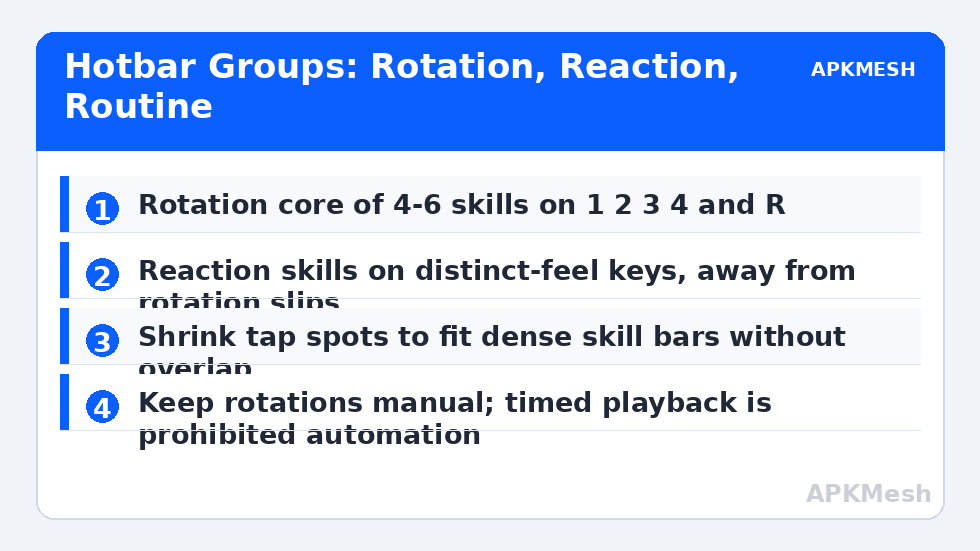
Rotation skills go on the keys your index and middle fingers can alternate without travel: for many players 1 to 4 plus R, or Q, E, R, F and a mouse side button if the mouse assists. Reaction skills go on keys that are close but deliberately distinct in feel, such as Shift-modified neighbours if your emulator scheme supports modifiers, or the F-row-adjacent keys and mouse buttons your hand can identify by shape. Routine actions take the remaining comfortable keys, the numpad if you use one, and the far side of the board. A defensive cooldown must never sit beside a rotation key where a sloppy reach fires it early; wasted reactions lose more fights than slow rotations do.
| Group | Examples | Suggested keys | Design rule |
|---|---|---|---|
| Rotation core | Four to six damage or heal skills, used on cooldown | 1 2 3 4 and R | Alternating fingers, zero hand travel |
| Opener / burst | Damage buff, stance, summon | E or Q, beside the rotation | Pressed once per fight, must not displace rotation fingers for long |
| Reaction | Interrupt, cleanse, defensive cooldown | Mouse side button, F, or Caps-area key | Distinct feel, impossible to hit by rotation accident |
| Movement skill | Dash, roll, blink | Space or Shift with movement hand | Must work while moving in any direction |
| Routine | Mount, potion, quest, pet | Numpad or far letter keys | Comfort over speed, used between fights |
Build the Scheme in the Emulator Editor
Place one tap spot per skill button, sized to the button and centred carefully, because MMORPG interfaces pack skills tightly and a sloppy spot will clip the neighbour. That density is the genre’s main mapping hazard: a spot that overlaps two buttons can fire either depending on the game’s touch handling. Zoom the editor if it allows it, place the dense cluster first, and test every single key in a safe area by watching which skill actually triggers. Test again after any interface scale change in the game, because skill bars are usually the first element to move when display settings change.
Movement and camera need explicit thought because the touchscreen original used a second thumb for both. WASD movement through a D-pad zone is standard; camera drag can sit on mouse movement with a held right button if the game supports it, or on arrow keys for slower content. Target selection deserves its own key: bind Tab or a tap spot on the game’s target-nearest-enemy button if it has one, and a separate key for target-of-target or party-member cycling in group content if you heal. Healers should map party targeting before damage skills, because in raid content their rotation is mostly a targeting rotation.
Lag risk: —
Rotations Are Manual: The Automation Boundary
It is tempting, once every skill is on a key, to record the rotation and replay it. Resist clearly. A timed sequence that plays your character’s combat optimally while you watch is automation of skilled play, prohibited by the terms of essentially every MMORPG with competitive or economic content, and detectable by the regularity of its timings. The legitimate version of the same comfort is ergonomic: a layout so good that playing the rotation manually feels effortless. Combo-style simultaneous presses for a buff that must coincide with a skill are ordinary mapping; a thirty-second replayed sequence is not, and the difference is sequence plus timing, not the number of keys involved.
Auto-battle provided by the game itself is, of course, the game’s own feature and a different matter. Many players map a comfortable manual scheme for raids and PvP, and let the game’s built-in auto mode handle daily grind, keeping the two activities cleanly separate and both within the rules the developer published.
Rehearse by Content Type, Not by Key
Validate the layout in escalating content. Solo questing tests rotation comfort over long periods; watch for finger fatigue in the pattern you repeat most, and swap the two most-used skills if one finger is doing unfair work. A dungeon tests reaction placement: did the interrupt fire the moment it was needed, or did you reach and arrive late? PvP tests movement skills and targeting under genuine stress, and will expose any key that requires your movement hand to abandon movement at the worst moment. Adjust one group at a time after each test, and resist rebuilding the whole bar because one key failed; layouts converge by iteration, and constant total rebuilds never converge at all.
Keep a per-class copy of the scheme. A healer’s bar and a damage dealer’s bar share a grammar (rotation in the same place, reaction in the same place) but not the same skills, and forcing one profile to serve both produces a compromise that serves neither during the content that matters.
Finally, photograph or screenshot your finished editor layout and keep it with the scheme export. Mobile MMORPG interfaces rearrange themselves around events and seasonal content more often than their players expect, and a picture of the working layout restores a moved bar in minutes. Note the interface scale in the same file, because a scheme rebuilt at a different scale looks almost correct while quietly clipping the neighbouring skill on every press.
Related Keymapping Guides
Browse the rest from the APKMesh homepage, and deepen this setup with:
- MOBA skill cast keybindings for the aimed-skill controls some MMORPG abilities also need
- quick-buy and shop macros for strategy titles for a careful look at where routine automation crosses game rules
- numpad mapping for simulation and management games to give routine actions a dedicated panel
- multi-touch combo keys for the buff-plus-skill presses a rotation sometimes demands together
Frequently Asked Questions
How many skills should sit on my main rotation keys?
Four to six. That is what two or three fingers can alternate for long sessions without travel or fatigue. Everything else belongs in the reaction or routine groups on nearby but distinct keys. If your class appears to need eight rotation skills, two of them are probably situational and will be happier in the reaction group.
Can I record my rotation and play it back with one key?
That is a timed macro performing skilled play, and MMORPG terms of service commonly prohibit it, with regular timings making it easy to detect. The legitimate alternative is ergonomic: place the rotation so well that playing it manually is effortless. Simultaneous combo presses are fine; sequenced playback is the line to stay behind.
How should a healer’s layout differ from a damage dealer’s?
Party targeting becomes the healer’s real rotation, so member-selection keys deserve the prime positions and healing skills group around them, while damage skills move to routine keys. Keep the grammar identical (reaction skills in the same place) so switching roles does not require relearning where the emergency buttons live.
Why do my tap spots fire the wrong skill on a crowded bar?
The spots are overlapping neighbouring buttons on a dense interface. Shrink each spot to sit fully inside its own button, re-centre it, and test every key individually in a safe area. Also retest after changing any in-game interface scale, since skill bars move and resize earlier than most other elements.
Should movement skills be on the keyboard or the mouse?
Whichever your non-movement input can reach without breaking stride. Space under the thumb suits keyboard-centred players; a mouse side button suits players whose camera lives on the mouse. The non-negotiable rule is that the dash or blink must be pressable while moving in any direction, including backwards.