The error arrives without explanation: you install a favorite older game on a shiny new Pie 64-bit instance and get “App not installed” or a store page that insists your device is incompatible. The app is a 32-bit-only build, and your emulator instance speaks only 64-bit. Learning to run 32 bit apps 64 bit emulator setups correctly starts with a piece of mobile history: Google required 64-bit versions of Play Store apps from 2019 onward, yet a long tail of older, abandoned, or region-specific apps never shipped one — and Android’s rules for mixing the two worlds inside one system image are stricter than most users expect.
Run 32 Bit Apps 64 Bit Emulator: Why a 64-Bit Instance Refuses
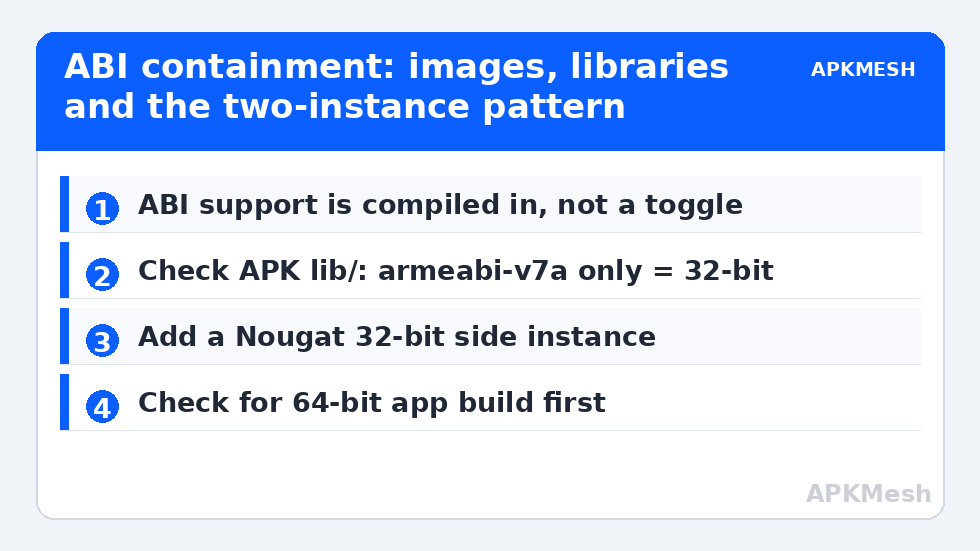
On physical Android phones, 64-bit devices almost always include 32-bit compatibility libraries, so an armeabi-v7a app runs happily on an arm64 phone. PC emulators are different: the instance image is built with a specific ABI set, and a “Pie 64-bit” instance is typically a pure 64-bit image — its system contains no 32-bit native libraries and (on x86 hosts) its ARM translation layer is configured for arm64 only. A 32-bit APK’s native .so files literally have no loader to run on. The APK itself parses fine; installation fails at the native-library step, which is why the error message is so unhelpful. No setting inside that instance changes this — the support is compiled into the image, not toggled.
The Practical Solutions, In Order of Sanity
- Use the emulator’s multi-instance manager to add a 32-bit instance. BlueStacks offers Nougat 32-bit (and on some builds Pie 32-bit) instance types alongside Pie 64; LDPlayer ships separate 32-bit-oriented builds/versions (LDPlayer 4-era images) and Android 7 32-bit instances in its lineup. Run the legacy app there, side by side with your 64-bit main instance — the pattern from multi-instance budgeting applies, lightly, since the legacy instance can be a small 2-core/2GB profile.
- Check for a 64-bit build of the app first. Developers who updated after 2019 ship arm64; users clinging to an ancient APK file often don’t realize the current version installs fine. Update from the Play Store on the 64-bit instance before engineering around a problem that no longer exists.
- Use the hybrid/compatibility instance if your emulator offers one. Some builds provide instances that bundle both ABI layers at some performance and size cost; if yours does and you play a true mix of old and new, it can be your main. Verify by installing your known 32-bit-only test app.
- Keep a legacy emulator version installed for a legacy library. Power users maintain an older LDPlayer/BlueStacks install purely for abandonware-era titles. Isolate it (separate Google account), because old builds mean old security patches — the hygiene rules in safe APK installation apply double.
Lag risk: —
Identifying Whether an App Is Really 32-Bit-Only
Before blaming ABI, rule out the lookalikes: minimum Android version (a Pie 64 instance is Android 9 — an app needing Android 10+ fails identically; see the version comparison), a corrupt download, or a split-APK installed without its config splits. True ABI failure can be confirmed by unzipping the APK (it is a ZIP) and inspecting its lib/ folder: only armeabi-v7a (and no arm64-v8a) means 32-bit-only native code. Pure-Java/Kotlin apps with no lib/ folder at all are ABI-neutral and install anywhere — if one of those fails, the cause is elsewhere.
Performance Notes for the 32-Bit Instance
A dedicated legacy instance is also a chance to enjoy how light older Android is: Nougat 32-bit instances boot fast on 1.5–2GB allocations and sip resources next to their Android 11 siblings. Resist assigning it your main profile’s generous settings; its games are old and its engine is small. Renderer choice still matters for glitchy old titles — the compatibility-first advice in the renderer guide (OpenGL, Compatibility mode) is the right default here. And when the legacy library matters to you, fold the instance into your backup routine from emulator backup and restore: old instances are exactly the ones a reinstall forgets. Browse all setup guides in Emulator Settings.
What About 32-Bit Apps on Android 11/12 64-Bit Images?
The same purity applies, more so: newer Android versions on phones have been dropping 32-bit support at the platform level (Pixel 7 onward runs 64-bit-only), and emulator images follow the industry. An Android 11 or 12 64-bit instance will refuse your 32-bit app with the same silent failure as Pie 64. Do not interpret a newer instance as a fix for legacy apps — it is the opposite direction. The two-instance pattern (modern main + legacy side instance) is not a workaround pending a better solution; it is the industry’s settled answer, matching how users keep a retro console beside a current one.
ARM Translation Caveats on x86 PCs
One extra wrinkle for PC users: even on a 32-bit-capable emulator instance, your x86 CPU needs the ARM translation layer (libhoudini/libndk-style components) to run ARM-only apps, and some emulators license or bundle different translators per image. If a 32-bit ARM app installs but crashes instantly on an x86 instance while an x86-native app runs, suspect the translation layer for that image before the app. Trying the emulator’s alternate 32-bit image (different Android version) often changes the translator and the outcome — a legitimate reason to keep two legacy images around if your library is stubborn.
The ARM64-Only Horizon
The direction of travel is worth stating so your setup decisions age well: Google Play has required 64-bit builds for years, flagship phones now ship 64-bit-only, and emulator vendors invest their translation engineering in arm64 paths. The 32-bit instance you create today is therefore a museum wing, not a growing collection — its library is fixed at whatever the abandonware era produced, which for many genres (early mobile classics, discontinued licensed titles, first-generation gacha) is a genuinely valuable archive. Treat it with a curator’s habits: back the instance up once it is configured to your liking, record which emulator version hosts it, and never let an automatic emulator update surprise-migrate your only copy of a legacy environment.
One More Distinction: 32-Bit Android vs 32-Bit Apps
Users often merge two separate ideas: a 32-bit app and a 32-bit Android image. The clean way to think about it is containment — the image defines the universe of ABIs that can exist inside it. A 32-bit Android image runs 32-bit apps natively and cannot run 64-bit apps at all; a hybrid image contains both library sets; a pure 64-bit image contains only the 64-bit set. When you choose an instance type in the manager, you are choosing that universe for everything installed into it afterward, which is why planning the split of your library across two instances beats hunting for a setting that does not exist.
Frequently Asked Questions
Why won’t my 32-bit app install on a 64-bit emulator instance?
Pure 64-bit instance images omit the 32-bit native libraries and configure ARM translation for arm64 only, so an app whose native code exists only as armeabi-v7a has nothing to run on. The APK parses but installation fails at the native library stage. The fix is a 32-bit instance, not a setting.
Can I enable 32-bit support inside an existing Pie 64 instance?
No. ABI support is compiled into the system image. Emulators handle this by offering separate instance types — create a Nougat 32-bit (or equivalent) instance in the multi-instance manager and run the legacy app there alongside your 64-bit main.
How can I tell if an APK is 32-bit only?
Open the APK as a ZIP archive and look at the lib/ folder. If it contains only armeabi-v7a and no arm64-v8a folder, its native code is 32-bit only. No lib/ folder at all means the app is ABI-neutral and any install failure has a different cause.
Do 32-bit instances run slower than 64-bit ones?
Generally the opposite for old apps: legacy instances (often Android 7) are lighter, boot faster, and need less RAM. The games themselves are from a less demanding era. Just allocate modestly — 2 cores and 2GB is a typical comfortable profile.
Is it safe to keep an old emulator version just for 32-bit games?
Yes, with isolation hygiene: old builds carry old security patches, so use a separate Google account on that instance, avoid browsing or finance apps there, and download games only from the safe sources you’d use anywhere else.