Emulator vendors now offer a shelf of Android versions — 7, 9, 11, sometimes 12 — and the version number quietly decides both which games you can install and how much of your PC each frame costs. This android 11 vs android 9 emulator performance comparison looks at what actually changes between the two generations inside an emulator: runtime behavior, memory footprint, graphics stack, storage mechanics, and the compatibility floor that is forcing everyone’s hand. The short version: Android 9 is lighter, Android 11 is necessary — and by 2026 the necessity is winning.
Android 11 vs Android 9 Emulator Performance: What Android 11 Costs You
| Factor (typical, same emulator/settings) | Android 9 instance | Android 11 instance |
|---|---|---|
| Guest idle RAM footprint | ~800MB–1GB | ~1.1–1.4GB |
| Fresh virtual disk size | ~3.5–4.5GB | ~4.5–6GB |
| Cold boot to usable desktop | Faster (fewer services) | ~10–20% slower |
| Scoped storage overhead | Legacy file access available | Scoped storage enforced; small I/O cost |
| Game install compatibility (2026) | Shrinking — many new titles need 10+ | Broad |
| Frame rate in the same game | Baseline | Typically within 0–5% — within noise on most PCs |
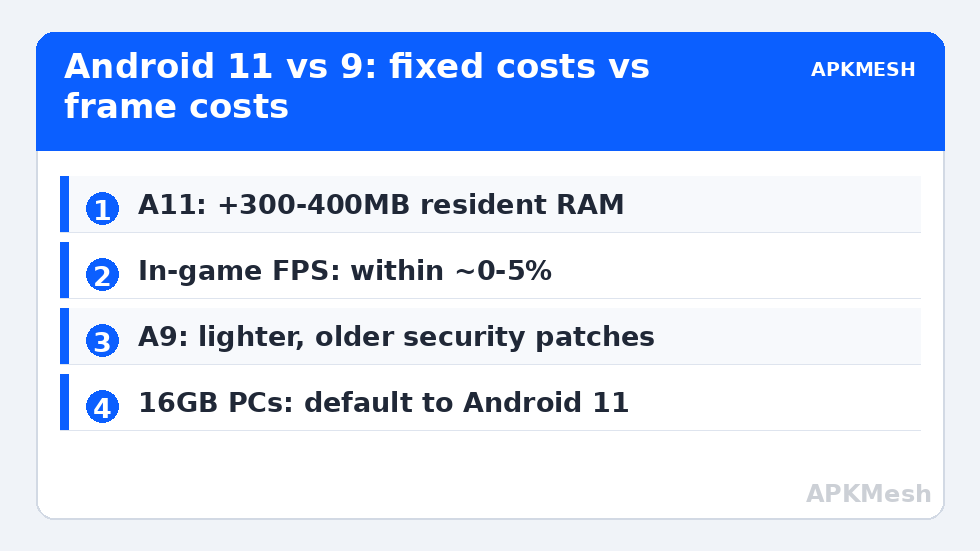
The pattern matters: Android 11’s costs are mostly fixed (more resident memory, a bigger disk image, slower boot), while its per-frame cost is small. That means the version choice hurts most exactly where fixed costs dominate — 4GB and 8GB machines — and barely matters on a 16GB desktop, where the per-frame number is the only one left and it is essentially a tie.
Why Android 9 Feels Snappier on Weak Hardware
Three structural reasons. Fewer resident services: Android 11 runs more background machinery (permission controllers, media providers under scoped storage, additional system intelligence), each nibbling RAM and waking the CPU. Simpler storage: Android 9’s legacy external storage model lets games read assets directly; Android 11’s scoped storage inserts a mediated layer that some asset-heavy games feel during streaming. Smaller surface for translation: on x86 emulators running ARM games, every additional system library is more translated code; the leaner system translates less outside the game itself. None of this makes Android 9 better — it makes it cheaper, the way an older car is cheaper to run until parts disappear.
Lag risk: —
The Compatibility Cliff Deciding For You
Play Store minimums have marched upward: many flagship 2024–2026 titles set Android 10 or 11 as their floor because their engines (and their anti-cheat and billing SDKs) dropped older APIs. An Android 9 instance increasingly meets “Your device isn’t compatible with this version” on exactly the new releases users install emulators for. The practical policy for 2026:
- 16GB RAM or more: default to Android 11 everywhere; keep a 9 instance only for a legacy tool that misbehaves on 11.
- 8GB RAM: Android 11 as the main instance with disciplined allocation (see allocating CPU and RAM correctly); Android 9 for lightweight secondary instances.
- 4GB RAM: Android 9 (or 7) for the older games that still support it is the only comfortable option — but accept that new releases are closed to this machine.
Emulator vendors reflect the same math: flagship features (high refresh rate support, newest keymapping, per-game fixes) land on their Android 11 builds first — our 90Hz/120Hz enablement guide is mostly an Android 11 story.
Graphics Stack Differences Worth Knowing
Android 11 images in current emulators usually pair with newer GPU translation layers and Vulkan support paths, which can claw back the fixed-cost deficit in Vulkan-native games: a title with a native Vulkan renderer may run its Android 11 build as fast or faster than its Android 9 build on the same PC, because the graphics path improves more than the system layer costs. OpenGL ES games see no such dividend and follow the table above. This is why blanket claims in either direction mislead — the answer is per-game. Background reading: renderer performance explained.
Migration Advice: Running Both Without the Mess
Keeping one instance of each generation is the power-user pattern, but manage it deliberately. Name instances by purpose (“A11-Main”, “A9-Legacy”) in the multi-instance manager. Do not sign the same game account into both simultaneously. Back up the important instance before big emulator updates (see backing up emulator game data), because version upgrades occasionally migrate an instance forward in ways you cannot reverse. More comparisons and per-emulator setup live in Emulator Settings.
Security Patch Reality: The Cost Nobody Benchmarks
Performance comparisons quietly ignore that Android 9’s security patch level in most emulator images is years old and frozen. For games this is mostly academic — the VM walls the guest off from your files unless you open shared folders — but Android instances increasingly host real accounts, chat apps, and occasionally payment-adjacent services. An Android 11 image is not “current” either, yet it sits several years of patches closer. If you keep an Android 9 instance for legacy titles, treat it like the legacy device it is: separate throwaway account, no banking or primary email, no casual browsing. The same isolation logic from our legacy-instance advice applies regardless of which emulator hosts the image.
Where Android 12/13 Images Fit
Some vendors now ship Android 12 or 13 images (MuMu’s default being the prominent example). Relative to Android 11, the performance story repeats with smaller stakes: a modestly larger fixed footprint, negligible per-frame difference for most titles, and another increment of future compatibility. If your emulator offers a maintained Android 12 image and your PC has 8GB or more, choosing it over 11 is reasonable future-proofing; on 8GB exactly, Android 11 remains the safer performance pick. The deciding factor, as always, is whether your specific games run correctly — test your main title on the newer image before migrating an account’s home instance to it.
Developer Mode and Other Image Differences Power Users Notice
Beyond headline performance, the generations differ in the small print. Android 11 tightened one-time permissions and background-start rules, so a few older automation and overlay tools misbehave on it while running fine on 9 — one reason keymapping veterans keep a 9 instance for specific utilities. Android 9 images, in turn, more often ship with permissive file access that makes save-file surgery and mod-adjacent tinkering easier (for apps you own), which the legacy community values. Emulator vendors also bundle different generations of their ARM translation layers per image; the same ARM game can show measurably different CPU draw between an emulator’s 9 and 11 images even at identical settings, an artifact of translation vintage rather than Android itself. None of these footnotes overturn the main verdict — they explain why experienced users maintain both images and reach for them deliberately, the way a workshop keeps old and new tools on the same bench.
Frequently Asked Questions
Is Android 11 slower than Android 9 in emulators?
Slightly heavier, mostly in fixed costs: roughly 300–400MB more resident RAM, a larger disk image, and a slower boot. In-game frame rates for the same title are typically within a few percent. On 16GB PCs the difference is negligible; on 4GB PCs it can decide playability.
Why do new games refuse to install on Android 9 instances?
Developers set minimum Android versions in their store listings, driven by engine requirements and SDK support. As that floor passes Android 9, those listings simply hide the install button or report the device as incompatible. No emulator setting changes a store-side minimum.
Which Android version should I pick on an 8GB RAM PC?
Android 11 as your main instance, allocated about 4GB, covers current games and emulator features. Keep an Android 9 instance only if a specific older app or game behaves badly on 11.
Does Android 11 improve graphics performance?
It can, indirectly: current Android 11 emulator builds ship newer Vulkan translation paths, so Vulkan-native games sometimes run as well or better than on Android 9. OpenGL ES titles generally see the small fixed-cost penalty instead.
Can I upgrade an Android 9 instance to 11 in place?
Generally no — emulators treat each Android version as a separate instance image. Create the Android 11 instance fresh, reinstall your games, and sign back in; cloud saves follow your account, local-only saves need a backup first.