
“Which one is lighter?” is the most asked emulator question, and the honest answer depends on which resource your PC is short of. This noxplayer vs bluestacks 5 performance benchmark comparison breaks the contest down by measurable categories — install footprint, idle and in-game RAM draw, CPU behavior, storage growth, and frame stability — using the typical figures you can expect on mainstream hardware, so you can match the emulator to your bottleneck instead of to a forum’s opinion. Numbers below are realistic ranges for current builds on a mid-range Windows 11 PC (16GB RAM, 6-core CPU, SSD); your exact values will vary with version, instance settings and the game being run, and you should treat any source quoting a single decimal-precise figure with suspicion.
Footprint and Idle Cost
| Metric (typical) | NoxPlayer | BlueStacks 5 |
|---|---|---|
| Installer size | ~550–600MB | ~1GB (web installer pulls more) |
| Fresh install on disk | ~4–5GB | ~5–6GB |
| RAM at Android desktop (2GB instance) | ~700–900MB host draw | ~800MB–1.1GB host draw |
| CPU at idle desktop | 1–3% | 2–5% (more background services) |
| Cold start to home screen | ~20–35s on SSD | ~15–30s on SSD |
Nox’s smaller footprint is real but modest. The more important difference is behavioral: BlueStacks runs more helper processes (and historically bundles promotional content in its UI), while Nox keeps a leaner process list but an older Android base on its default instance. On an 8GB machine, either fits; on 4GB, Nox’s slightly lower idle draw can be the margin that avoids paging — though the settings in our BlueStacks 5 Pie 64 low-end guide close much of that gap.
NoxPlayer vs BlueStacks 5 Performance: In-Game Resource Consumption
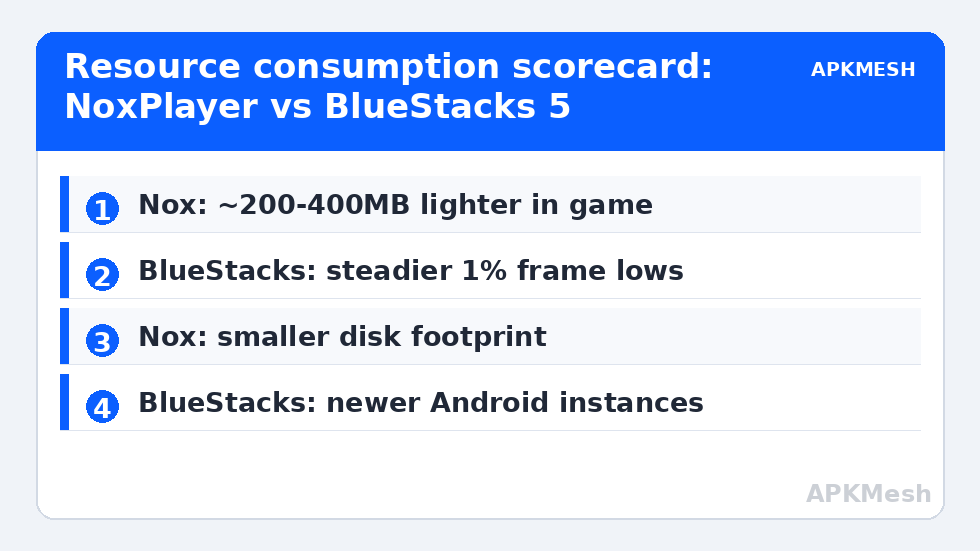
Load changes the ranking. In a mid-weight 3D game at 720p with matched allocations (4 cores, 4GB), expect host RAM draw of roughly 2.5–3.5GB from either emulator, with BlueStacks usually 200–400MB hungrier because of its newer Android 11/Pie 64 runtime layers and translation overhead for ARM binaries. CPU draw is similar; GPU draw depends on renderer choice more than brand — both support OpenGL and DirectX backends. Where BlueStacks 5 pulls ahead is frame pacing in demanding titles: its engine updates have focused on frame-time consistency, so its 1% lows typically sit closer to its averages. Nox can match average FPS in lighter games while showing deeper occasional dips in heavy scenes.
Lag risk: —
Feature Weight: What the Extra Resources Buy
- BlueStacks 5: multiple instance types (Nougat 32, Pie 64, Android 11), actively maintained game-specific optimizations, Eco Mode, a mature keymapping editor, and the largest per-game compatibility database. Costs: bigger disk footprint, more UI upsells, heavier background footprint.
- NoxPlayer: simpler UI, built-in macro recorder that many users prefer, root toggle front-and-center, less aggressive monetization in the interface. Costs: default Android version is older, updates arrive more slowly, some newer games refuse old Android builds.
If your bottleneck is compatibility with new games, BlueStacks’ Pie 64 and Android 11 instances matter more than a few hundred MB. If your bottleneck is raw RAM on an old laptop and your games are older titles, Nox’s leanness is a legitimate advantage — the same reason genuinely tiny emulators exist in our roundup of lightweight emulators under 500MB.
Stability, Updates and the Hidden Cost of Old Android
Benchmarks rarely capture the cost that ends most Nox installations: a game updates, raises its minimum Android version or its integrity checks, and the older instance stops working. BlueStacks’ release cadence (and its per-game fix notes) reduce that risk. Conversely, BlueStacks’ frequent updates occasionally regress a specific game until a hotfix lands; Nox’s slower cadence means fewer surprises in both directions. For a work PC that occasionally games, stability of either is fine. For a dedicated gaming rig chasing new releases, choose the maintained engine.
Decision Matrix
| Your situation | Better pick |
|---|---|
| 4GB RAM, older laptop, light games | NoxPlayer (tuned lean) or a lightweight alternative |
| 8–16GB RAM, current competitive titles | BlueStacks 5 (Pie 64 instance) |
| Multi-instance farming on a budget CPU | BlueStacks 5 (Eco Mode) — better per-instance throttling |
| Macro-heavy automation of menus | NoxPlayer’s recorder is simpler; both work |
| Lowest disk footprint | NoxPlayer |
Whichever you choose, allocation discipline decides more than brand: read how to allocate CPU cores and RAM correctly before concluding an emulator is “slow”, and browse Emulator Settings for per-emulator tuning. A misallocated BlueStacks loses to a tuned Nox every time.
How to Run This Benchmark Yourself in 20 Minutes
Vendor comparisons (including this one) should be starting points, not verdicts — your hardware and your game are the deciding variables. A fair self-test is simple if you control the confounders:
- Install both emulators fresh, create one instance each with identical allocations (same cores, same RAM, same resolution and FPS cap) and the same game at the same settings.
- Reboot the PC, close background apps, and test the second emulator first on alternate days — thermal state and Windows update activity poison back-to-back runs in whichever order favors the second test less.
- Measure in the same repeatable scene: a fixed route through a busy map area, three runs each, noting the average FPS and the lowest sustained stretch rather than the single worst frame.
- Record host cost during the same run: Task Manager’s per-process CPU/RAM at the midpoint, plus instance folder size from disk.
- Judge boot-to-game time with a stopwatch twice; cold-start differences are small but real on HDD systems.
What you will usually find matches the tables above: totals are closer than brand loyalists claim, and the character differs — one emulator’s dips are rarer, the other’s footprint is smaller. Pick the character your machine tolerates, then stop benchmarking and play; past the second evening of testing, you are optimizing the spreadsheet instead of the experience.
Longevity and Total Cost of Ownership
A benchmark captures a day; ownership lasts years, and the two products age differently. BlueStacks’ aggressive update cadence means new-game breakage is usually fixed within weeks, but it also means your configuration is a moving target — settings migrations occasionally reset tuned values, and release notes deserve a skim before updating mid-season. Nox’s slower cadence gives configurations a longer half-life, at the price of waiting longer when a new Android version requirement or a game’s anti-tamper update locks its older instance out. Budget-minded owners should also weigh reinstall cost: if a Windows reinstall looms, the emulator whose instances export and import cleanly (or whose games are all account-linked) wins the migration weekend regardless of benchmark tables. Keep backups per the routine in this category and either product becomes replaceable — which is the strongest position a user can occupy in any comparison.
Finally, a word about advertised “performance modes” in both products’ marketing: independent testing across the category consistently shows the gap between a default and a tuned install exceeds the gap between brands. Whichever you pick, the tuning is the product.
Frequently Asked Questions
Which uses less RAM, NoxPlayer or BlueStacks 5?
NoxPlayer, by a small margin — typically a few hundred MB at idle and in light games, thanks to its older, leaner runtime. In heavy games the gap narrows, and BlueStacks’ frame pacing is usually better. On 4GB systems the Nox margin can matter; on 8GB+ it rarely decides anything.
Which emulator gives higher FPS?
At matched settings in demanding modern titles, BlueStacks 5 generally sustains steadier frame rates, especially its 1% lows. In lighter or older games both reach the same caps and the difference disappears.
Is NoxPlayer safe and still updated?
NoxPlayer is a long-running commercial emulator; download it only from the official site. Its updates are less frequent than BlueStacks’, and its default Android version is older, which is the main practical risk for new games.
Can I run both emulators on the same PC?
Yes, they install side by side, but do not run instances of both simultaneously on a low-RAM machine — you will pay both idle costs plus paging. Keep one as your daily driver.
Which is better for multiple instances?
BlueStacks 5, mainly because Eco Mode throttles background instances per-instance and its instance manager is more granular. Nox’s multi-drive works but offers coarser resource control.