
Voice control sounds like a novelty until you list the emulator actions that are frequent, non-urgent and awkwardly placed: opening the map, toggling a minimap mode, taking a screenshot, pausing a single-player game, or muting a chatty menu. Sensible voice commands hands-free emulator controls assign the voice exactly those jobs, while aiming, firing, steering and every other timing-critical input stays on keys, mouse or pad where it belongs. The microphone becomes one more input device with known strengths, not a replacement controller.
This guide covers two routes: Windows voice access and dictation tools that can send keystrokes when they hear a phrase, and game-agnostic push-to-talk discipline borrowed from voice chat. It explains how to choose command phrases that a recogniser can distinguish in a noisy room, how to keep a command list small enough to remember, and the safety and etiquette rules that matter most: a voice command should never be the only way to stop something, never trigger purchases or deletions, and never surprise other people in a voice channel. Used that way, voice earns its place in an accessible control scheme.
Choose Commands a Recogniser Can Actually Distinguish
Recognition software confuses phrases that sound alike, especially through a headset microphone across a room with a game playing. Build phrases that differ in length and in their opening sound: map open, screenshot now, pause game, mute sound, centre camera. Avoid a family of near-identical commands such as heal one, heal two and heal three, which differ only in the final syllable the recogniser is most likely to lose under game audio. Two or three syllables minimum, a distinctive first word per action family, and no phrase that also appears in ordinary conversation or in the game’s own dialogue, unless you enjoy your inventory opening during a cutscene.
Keep the total list short enough to print on one card beside the monitor. Around eight to twelve commands is a practical ceiling for most players: beyond that, recall under pressure fails before recognition does. Each command should map to exactly one key or key combination in the emulator scheme, and the underlying key must also work manually, because every voice system eventually meets a sore throat, a sleeping household or a microphone that updated its drivers overnight.
| Voice phrase | Emulator action | Mapped key | Why this phrase |
|---|---|---|---|
| Map open | Open or close world map | M | Short, distinctive opening sound |
| Screenshot now | Capture screen | Emulator screenshot shortcut | Two content words, hard to say by accident |
| Pause game | Pause / open menu (single-player) | Esc or pause binding | Clear intent, no similar command nearby |
| Centre camera | Re-centre view control | Your scheme’s camera key | Distinct from map and pause phrases |
| Next objective | Cycle quest or objective marker | Your scheme’s objective key | Longer phrase, very low confusion risk |
Set Up the Voice-to-Key Layer Carefully
Configure the voice tool while the emulator is closed, then test phrases in a simple text window or key tester to confirm each one sends the intended key exactly once. Only then open the emulator and test again inside a safe area of a game. This order isolates faults: if a phrase fails in the text window, the recogniser or microphone is at fault; if it works there but fails in game, focus or the emulator’s scheme is at fault, and saying the phrase louder will fix neither. Set the microphone to a fixed input level rather than automatic gain if the tool allows it, because game audio swelling through speakers makes automatic gain pump and recognition degrade exactly during loud, important moments. A headset microphone largely removes that problem and most of the room-noise problem with it.
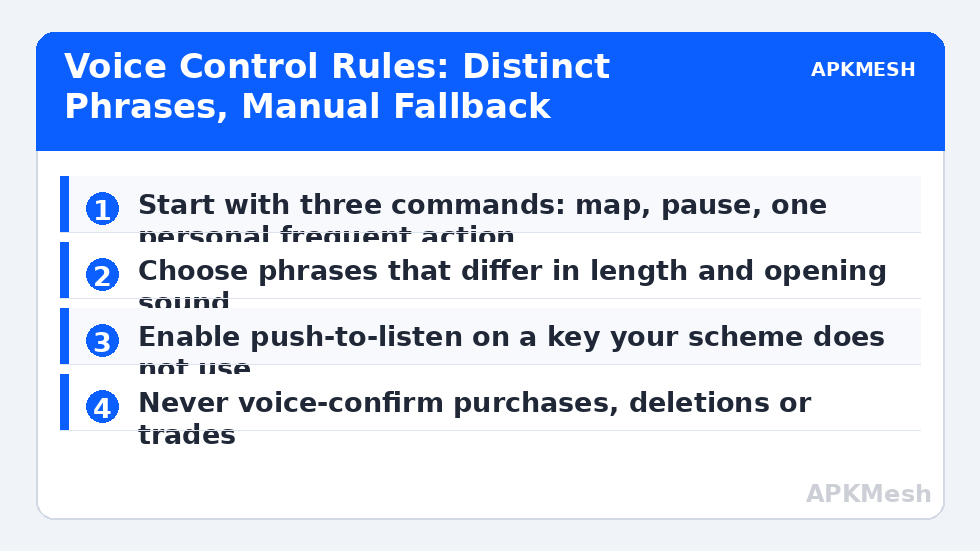
Push-to-listen is the single best reliability feature to enable if your tool offers it: the recogniser only listens while you hold a key or foot-friendly button, so cutscenes, conversations and sneezes cannot issue commands. Assign the listen key to something your scheme does not use for gameplay, such as a spare mouse button or a numpad key, and treat holding it as part of the command itself. Continuous listening is convenient for fully hands-free needs, and there it should be paired with a wake word and a much stricter command list.
Lag risk: —
Safety Rules: What Voice Must Never Control
Draw the safety line before the convenience line. Voice commands must never confirm purchases, spend currency, delete items or characters, accept trades, or send chat messages whose text was dictated in the same breath. Recognition errors are not hypothetical; they are a statistical certainty over hundreds of hours, and the cost of an error should be an opened map, not a bought skin. Likewise, never let voice be the only way to pause, mute or stop: the manual key remains bound and reachable, and any macro-like voice sequence that starts an action must be stoppable by a plain keypress.
Multiplayer etiquette is the other safety domain. If your voice commands are spoken into an open or accidentally open voice channel, teammates hear a person apparently talking to nobody, and a command phrase can collide with the game’s own callouts culture. Use push-to-talk for team chat on a different key from push-to-listen, test the pair together, and prefer voice commands in multiplayer only for your own interface actions, never for communication the team depends on.
Build the List Gradually and Audit It Monthly
Start with three commands for a week: map, pause, and one personal frequent annoyance. Add new commands only when you catch yourself wishing for one mid-session, and write each addition on the card immediately. A list grown from real wishes stays memorable; a list designed speculatively on day one becomes a poster you never read. Once a month, audit recognition: speak each command five times at normal volume during actual gameplay audio and note any that fail more than once. Rename failures rather than repeating them harder; the phrase is the interface, and interfaces should adapt to humans, not demand enunciation lessons during a boss fight.
Keep the voice layer documented in the same notes file as your control schemes, including the tool’s name, the microphone used, and the phrase list. Voice setups are unusually fragile across PC changes because they depend on audio routing, so the note that seems unnecessary today is the difference between a ten-minute restore and an evening of re-testing phrases after a Windows reinstall.
Household reality deserves a place in the design too. Tell the people who share your space what the phrases are and what they do, especially if a command can pause a game or mute audio. A family member repeating your pause phrase as a joke is harmless once; the same joke during a ranked match teaches you why push-to-listen exists. Keep phrases distinctive, keep the manual keys reachable, and the system stays a convenience instead of a household sport.
Related Keymapping Guides
Begin at the APKMesh homepage for the full library, and continue with:
- creating custom macro scripts for the automation boundaries voice commands must respect just as macros do
- mapping keyboard shortcuts for typing and navigation because every voice command still needs a real key underneath it
- one-handed control schemes for accessible gaming where voice carries the rare actions a single hand cannot reach
Frequently Asked Questions
Are voice commands allowed in online emulator games?
A voice command that sends one ordinary keypress is functionally a keybinding with a microphone attached, and is generally treated like other accessibility or alternative input tools. What games prohibit is automation that plays for you or timed sequences. Keep voice to single, deliberate actions, check competitive rules for organised events, and you stay on the right side of the line.
Why does my voice tool trigger commands during cutscenes?
Continuous listening hears game dialogue and your own reactions as potential commands. Enable push-to-listen so recognition only runs while you hold a spare key, or use a wake word with a stricter phrase list. Also lower speaker bleed into the microphone by using a headset, which removes most false triggers at the source.
What actions should never be put on voice control?
Anything irreversible or expensive: purchases, currency spending, deletions, trade confirmations and sending dictated chat. Recognition errors are inevitable over long use, so the cost of a mistake must be trivial, like an opened map. Voice should also never be the only way to pause or stop an action; keep the manual key bound.
How many voice commands should I start with?
Three. Map, pause, and one action you personally reach for constantly. Live with those for a week, then add only commands you catch yourself wishing for during real sessions, writing each on a printed card. Most players stabilise around eight to twelve; beyond that, remembering the list becomes harder than the keys were.
Why do commands fail more during loud gameplay moments?
Game audio through speakers raises the noise floor and makes automatic microphone gain pump up and down, so phrases are recognised worst exactly when the action is loudest. Use a headset microphone, set a fixed input level if your tool allows it, and test phrases under real gameplay audio rather than in a silent room.