BlueStacks X asks a question the other emulators do not: should this game run on your PC at all, or should it stream from the cloud while your laptop acts as a screen and controller? For owners of weak hardware that question is genuinely useful, but only if the bluestacks x settings weak pc choices — local versus cloud per title, stream quality, and the local instance profile underneath — are made deliberately. This guide separates the two halves of the product, because tuning the streamed half with local-emulator logic (or the reverse) is how most users end up blaming the wrong layer.
Two Products Wearing One Name
BlueStacks X is a launcher with two execution paths. Local titles install into a BlueStacks 5-style instance and obey every familiar rule: cores, RAM, renderer, resolution. Cloud titles run on remote servers and stream video to you; your CPU and GPU barely participate, but your network becomes the frame-rate bottleneck — latency, jitter, and bandwidth replace thermals as the things that ruin a match. A weak PC with a strong connection is a good cloud candidate. A weak PC on congested Wi-Fi is a bad candidate for both paths and needs the honesty of the local route at low settings.
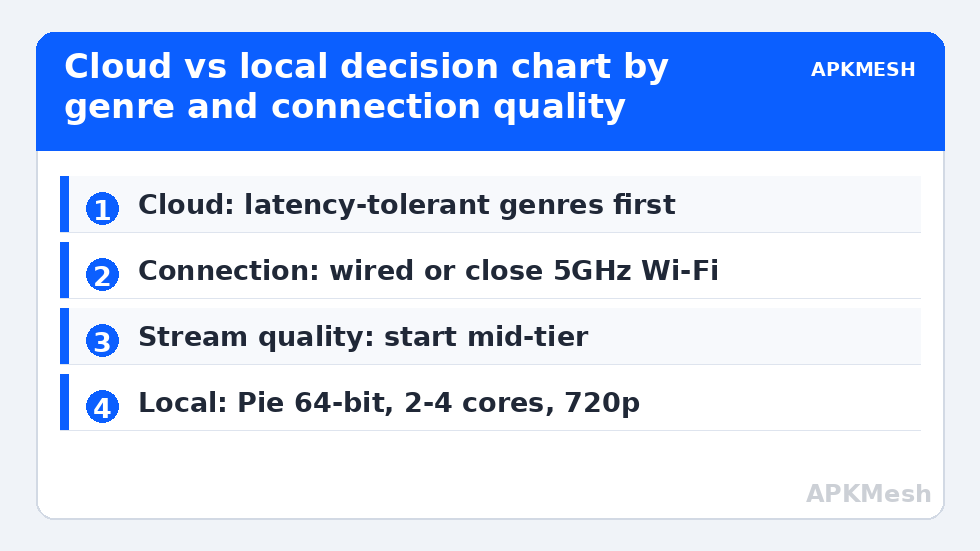
Decide per game, not globally. Turn-based, gacha, and strategy titles tolerate streaming latency gracefully and are ideal cloud residents. Competitive shooters and rhythm games punish every extra millisecond; on those, a local instance at 720p with modest effects will usually feel better than a beautiful stream arriving late.
Cloud-Side Settings That Actually Matter
| Setting | Weak-PC guidance | Why |
|---|---|---|
| Connection | Wired Ethernet, or 5GHz Wi-Fi close to the router | Jitter, not raw speed, is what players feel as lag |
| Stream quality | Start at the middle tier; raise only after a stable session | Higher tiers amplify every network wobble into visible artefacts |
| Session choice | Cloud for latency-tolerant genres | Your hardware stops being the bottleneck entirely |
| Background network load | Pause cloud backups and other streams while playing | A single household upload can spike your ping for minutes |
| Local fallback | Keep a tuned local instance installed | Cloud availability and queues vary by title and region |
Test the network honestly before judging the service: run a session at a quiet hour and one at your household’s busiest hour. If the busy-hour session falls apart, no setting inside BlueStacks X will rescue it — the fix is a cable, a router position, or playing streamed titles at quieter times.
Lag risk: —
The Local Instance Still Needs Tuning
Every locally installed title in BlueStacks X inherits an instance profile, and the defaults are written for stronger machines than yours. Open the instance settings and apply the familiar low-end discipline: Pie 64-bit instance, two cores on a four-thread CPU or four on an eight-thread, 3–4GB of RAM on an 8GB system, Compatibility graphics with OpenGL, software ASTC decoding, 1280×720 at 240 DPI, and a 60 FPS cap. Those values are detailed step by step in our BlueStacks 5 Pie 64-bit tweaks for low-end PCs, and they transfer unchanged because the engine underneath is the same.
One X-specific trap: because the launcher makes installing effortless, weak PCs accumulate a dozen local titles, each keeping the shared virtual disk growing. Audit the library monthly, uninstall what you have stopped playing, and let the disk shrink where the tool offers cleanup. Storage pressure on a nearly full SSD slows everything, cloud sessions included, because the stream buffer and Windows itself both need scratch space.
Choosing Per Genre: A Working Split
- Cloud first: turn-based RPGs, idle and gacha games, visual novels, and slow strategy — latency invisible, hardware irrelevant, saves synced by account.
- Local first: competitive shooters, MOBAs where you play ranked, rhythm games, and anything where input timing is scored — run the tuned local profile described above.
- Either, test both: action RPGs and racing games. Play one session each way on the same connection and keep the one with steadier frame delivery, not the prettier still image.
- Neither will save: a brand-new heavy title on a 4GB RAM laptop over hotel-grade Wi-Fi. Some combinations are simply outside what the hardware and network can jointly do, and recognising that early saves an evening.
That last category matters for expectations. BlueStacks X marketing implies the cloud dissolves hardware limits, but it dissolves only the compute half. The display, decode, input, and network halves still live in your room, on your router, in your walls. Readers who grasp that distinction stop chasing settings and start fixing the actual bottleneck — a theme the APKMesh homepage returns to across this whole category, and one that pairs naturally with the per-title thinking in emulator per-game profiles.
Data, Accounts and Quiet Costs
Streaming consumes bandwidth continuously, so households with data caps should treat cloud sessions like video streaming in the household budget — an hour of play is an hour of high-quality video, roughly speaking. Locally installed games cost data once, at download. Accounts also deserve a thought: sign cloud and local sessions into the same game account where the title allows it, so progress is not stranded on whichever path you happened to try first. And keep the local fallback installed for your one or two favourite titles; cloud catalogues and regional availability change, and an update that moves a game off the streamed list should not orphan your progress overnight.
Where BlueStacks X Sits Among Lightweight Options
It is worth placing the cloud path in the wider landscape of weak-PC strategies. The traditional answer to a laptop that cannot run modern instances is hunting for a smaller emulator, and our roundup of lightweight Android emulators under 500MB shows how thin that ice has become: small now usually means old Android, narrow purpose, or both. BlueStacks X’s cloud tier is the industry’s alternative answer — keep the modern Android, move the computer. Neither answer is free: the lightweight route costs compatibility, the cloud route costs bandwidth and latency. The per-genre split earlier in this guide is how you pay the cheaper price for each title you own.
Revisit the split seasonally. Connections improve, catalogues change, and a title that streamed badly over last year’s congested Wi-Fi may run beautifully on this year’s router — while a game quietly dropped from the cloud list needs its local fallback dusted off. Weak-PC gaming has always been a practice of periodic re-measurement rather than permanent verdicts, and a two-path launcher simply makes the re-measurement twice as interesting.
A Sensible Starter Split for Your First Week
If the per-genre reasoning feels abstract, start with this concrete default and adjust from evidence: stream your two most hardware-hungry, latency-tolerant titles; install your one competitive game locally at 720p; and leave everything else uninstalled until you actually miss it. After a week you will know your connection’s busy-hour character, your laptop’s local ceiling, and which path each genre in your real library prefers — knowledge no review can hand you, because it describes your house and your hardware rather than a test bench. Expand the library one title at a time from there, and the launcher stays an asset instead of becoming a second, larger problem to manage.
Frequently Asked Questions
Does BlueStacks X cloud gaming need a good PC?
No – that is its main appeal for weak hardware. The game runs on a remote server and your laptop decodes a video stream, so an old dual-core machine with working video decode can display titles it could never run locally. What it needs instead is a stable, low-jitter connection, ideally wired.
Is BlueStacks X cloud or local better for shooters?
Local, in almost every realistic home setup. Streaming adds network latency on top of display and input latency, and competitive shooters are decided in exactly those milliseconds. A tuned local instance at 720p feels more responsive than a sharper stream that arrives consistently late.
How much data does a BlueStacks X cloud session use?
Roughly comparable to streaming high-quality video for the same duration, varying with the quality tier you select. On a capped connection, prefer local installs for your most-played titles and reserve cloud sessions for trying new games or playing hardware-heavy titles your PC cannot run.
Why does my cloud session look blurry in busy scenes?
The stream encoder reduces detail when either the scene gets complex or your connection wobbles, and busy scenes stress both at once. Lower the stream quality tier one step for a steadier picture, move to wired Ethernet, and pause other household uploads or streams during play.
Can I move a game between cloud and local in BlueStacks X?
You can play the same title either way where both are offered, and progress follows your game account sign-in rather than the installation. Install the local copy before you need it, sign in once to confirm saves sync, and you have a fallback if cloud availability changes.