To map controller triggers for RPG games on an emulator, work from the genre’s grammar rather than the pad’s geography. Action RPG combat is built from four verbs — light attack, heavy attack, dodge, and lock-on — plus a supporting cast of block, skill and item. The shoulders (LB/RB bumpers, LT/RT triggers) are the only inputs your index fingers can hit without leaving the sticks, so they should carry the verbs you use while moving and aiming the camera; everything slower belongs on face buttons. Two conventions dominate the genre (the Souls-style layout and the hack-and-slash layout), and this guide maps both into emulator schemes, including the analogue trigger pitfalls that make PlayStation pads feel ‘dead’ in some emulator builds and the testing bouts that prove a layout before a boss does.
Prerequisite: your pad must already be visible to the emulator and behaving in Windows — the connection and translation steps live in our Xbox and PlayStation controller guide, including why a DualShock’s triggers can share one axis in older engines, a fact that matters directly below.
The Logic: Bumpers Are Reflexes, Triggers Are Commitments
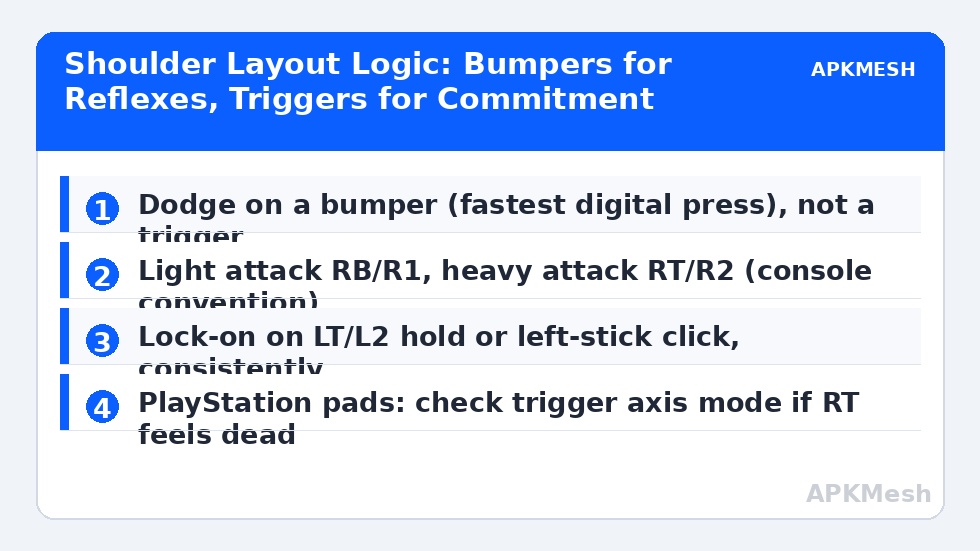
Bumpers (LB/RB) are short-travel digital buttons: press time is tiny and unambiguous, which suits actions judged in frames — dodge above all, and light attack, which you tap in rhythm. Triggers (LT/RT) travel further and, on most pads, report analogue depth; games and emulator editors usually read them as buttons with a longer throw, which suits actions you commit to — heavy attack, charged skills, aiming a bow. The classic Souls arrangement follows exactly this logic: RB light, RT heavy, LB block/off-hand, LT parry or weapon art, dodge on B/Circle (face) in the originals — but on emulator schemes many players move dodge to LB because a shoulder dodge frees the right thumb for camera during rolls. Neither is wrong; what is wrong is dodge on a long-throw trigger, where the extra travel is measured in missed i-frames.
Lock-on deserves a deliberate home because you will hold or toggle it under stress: left-stick click (L3) is the console standard and keeps shoulders free, but players with older pads whose stick clicks are mushy should use LT hold instead and move its previous job (usually a stance or aim) to L3. Pick per your hands and hardware, then keep the choice identical across every action RPG you play — lock-on is the binding your panic brain reaches for, and it must live in one place only.
| Action | Layout A: Souls-style | Layout B: Fast brawler | Reason |
|---|---|---|---|
| Light attack | RB | RB | Rhythmic tapping suits a bumper |
| Heavy attack | RT | RT (hold for charge) | Trigger throw matches commitment |
| Dodge | LB (moved from face) | LB | Reflex action on fastest shoulder |
| Block / guard | Face (Y/Triangle) or LT | LT (hold) | Hold semantics fit a trigger |
| Lock-on | L3 (toggle) | L3 (toggle) | Standard; LT hold if stick click is unreliable |
| Skill / weapon art | LT | Y + shoulder combos per game | Second-most deliberate action |
| Heal / item | D-pad up or X/Square | D-pad up | Off the shoulders: no accidental heals |
| Interact | A/Cross | A/Cross | Out-of-combat key, face is fine |
| Sprint | Left stick hold + dodge, or L3 hold | Same | Matches the game’s own sprint model |
Lag risk: —
Mapping in the Emulator Editor
In the emulator’s gamepad editor, place tap spots (or the game’s native pad bindings where supported) for each on-screen combat button, then assign the physical shoulder by pressing it during binding — never trust the on-screen list labels alone, because editor naming for triggers varies (LT may appear as Button 7, Axis Z, or ‘LT’). If a trigger binding registers only at full press, that is the editor reading the analogue axis with a high threshold: look for an axis threshold/deadzone option in the gamepad panel and set the trigger threshold around 25-35% so a deliberate half-pull counts. If instead the trigger fires twice (once on press, once on release), the editor is treating the axis as two buttons — a known behaviour with some PlayStation pads pre-translation; route the pad through the XInput translation from our connection guide and bind the virtual pad instead.
Bind camera to the right stick with no emulator-side inversion mismatches (set inversion in exactly one place — the game or the editor, never both), and movement to the left stick using the game’s joystick zone, tuned with the same deadzone discipline as our platformer sensitivity guide, since action RPGs punish drift during narrow-ledge sections exactly like platformers do.
Two Fights That Test a Layout
Test one: a fast trash-mob pack. You should be able to light-light-heavy, dodge through an attack, and re-lock without your right thumb leaving the camera stick for anything except face-button skills. If lock-on keeps breaking, your lock binding is the problem, not your skill. Test two: a boss or elite with a delayed heavy swing — the dodge timing drill. Ten deliberate dodge-throughs: if you are hit late consistently, suspect trigger travel on dodge (move it to a bumper); if you are hit while the input never registered, suspect the trigger threshold setting from the previous section. Both tests take five minutes and settle arguments that forum threads never do.
Also decide the heal question before a boss does: healing on a D-pad direction is genre-standard and safely off the combat shoulders, but D-pad on many pads is the weakest input; if your pad’s D-pad is mushy, heal on a face button and move interact (its usual occupant) to the D-pad instead. Comfort assignments beat canonical assignments whenever they conflict, provided the reflex verbs stay on the shoulders.
Carrying the Layout Across Games
Save the scheme per game but keep the shoulder logic constant; your exports should note ‘Layout A’ or ‘Layout B’ so a friend importing your profile (see our profile sharing guide) knows the grammar before the first fight. Games that invert the convention — heavy on a bumper, for instance — deserve a same-day remap to your grammar rather than an adaptation period; consistency across your library is worth more than fidelity to any single game’s defaults, because the hands you bring to a new title are trained by the old ones.
Related Keymapping Guides
More from this category is collected in the Keymapping Guides archive. These companion guides go deeper on the topics touched above:
- connecting Xbox and PlayStation controllers
- D-pad and stick sensitivity tuning
- sharing finished profiles with friends
Do one deliberate rehearsal pass before the layout meets a real fight. Load a training dummy or the game’s practice arena and run your three most common sequences — dodge into heavy, parry into punish, item use under pressure — ten times each, slowly at first. Fumbles that repeat at the same transition are layout information: that binding sits on the wrong finger for you, whatever its logic on paper. Swap the two involved buttons, repeat the drill, and only promote the layout to your cross-game template once every sequence survives at full speed.
Frequently Asked Questions
Why does my RT heavy attack only register on a full squeeze?
The emulator editor is reading the trigger’s analogue axis with a high activation threshold. Lower the gamepad axis threshold to roughly 25-35% in the editor’s settings, or route the pad through XInput translation so triggers present as clean digital-plus-axis inputs.
Should dodge be on a bumper or a face button?
A bumper, for most players. Dodge is the most frame-critical input in the genre and bumpers have the shortest travel; a face-button dodge forces your thumb off the camera stick. The exception is if your pad’s bumpers are unreliable — then face (B/Circle) with practised thumb rolls is acceptable.
My trigger fires the action twice, on press and release. Fix?
The editor is splitting the trigger axis into two button events, common with PlayStation pads read as raw DirectInput. Translate the pad to XInput (DS4Windows or Steam Input) and bind the virtual controller in the emulator instead.
Where should lock-on go if my stick click is mushy?
LT as a hold, and move LT’s previous job (stance/aim/weapon art) to L3 or a face button. Lock-on must be effortless under stress; an unreliable stick click will cost you more fights than any other single binding.
Do I need different layouts for different action RPGs?
Keep one shoulder grammar (Layout A or B) across all of them and only adapt the supporting bindings. Relearning dodge per game is how players die in the first hour of every new title; consistency is a skill feature, not laziness.