LDPlayer and MuMu Player have converged on the same user from opposite directions: LDPlayer grew outward from hardcore gaming features and per-game tuning, MuMu (NetEase’s emulator) grew upward from a lean engine with a modern Android base. This ldplayer vs mumu player comparison is a structured comparison test — same categories a buyer would use for any two tools: engine and Android base, resource appetite, frame stability character, keymapping and extras, compatibility behavior, and the update/support reality. Verdicts are given per user type at the end, because the global winner does not exist.
LDPlayer vs MuMu Player Comparison: Engine and Android Base
| Factor | LDPlayer 9 | MuMu Player 12 |
|---|---|---|
| Android base | Android 9 (with newer-image variants rolling out) | Android 12 |
| Primary renderer story | OpenGL/DirectX maturity; Vulkan per title | Vulkan-first pipeline |
| Instance types | Multiple images incl. 32-bit legacy options | Focused on its modern image; fewer legacy paths |
| Install footprint (typical) | ~5GB class after first instance | ~5–6GB class after first instance |
| Idle RAM (2GB instance, typical) | ~0.8–1.1GB host draw | ~0.9–1.2GB host draw |
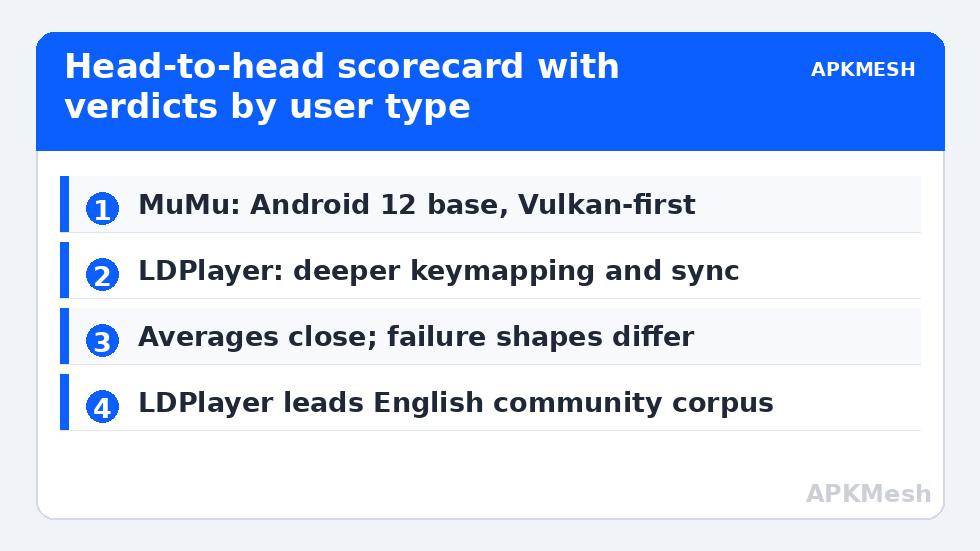
MuMu’s Android 12 base is its headline advantage in 2026: the store-compatibility cliff detailed in Android 11 vs Android 9 pushes users toward newer images, and MuMu starts there by default. LDPlayer counters with breadth — legacy instance options for old titles (see running 32-bit apps) and a longer per-game tuning history in competitive titles.
Speed and Frame Character
In matched configurations (4 cores, 4GB, 900p, same game builds), the two sit close: averages typically within a few FPS of each other on mid-range hardware, with different failure shapes. MuMu’s Vulkan pipeline tends to hold steadier lows in busy 3D scenes on supported GPUs — the draw-call overhead story from our renderer comparison playing out in product form. LDPlayer tends to boot instances and load into games a touch faster, and its mature per-game profiles mean popular shooters arrive pre-tuned more often. On low-end integrated graphics, both need the discipline of the 4GB laptop settings; neither is magically light, and on 4GB machines the choice matters less than the settings.
Lag risk: —
Keymapping, Macros and Extras
- LDPlayer: deep keymapping editor with per-game community schemes, macro support, operation recorder, multi-instance synchronizer (control many instances with one input set — a feature farmers genuinely use), and an integrated screenshot/video toolkit.
- MuMu: competent keymapping with a cleaner, less cluttered UI, good gamepad handling, and thoughtful touches like device-model presets and a tidy settings center. Its multi-instance tooling is capable but less elaborate than LDPlayer’s sync ecosystem.
For shooter players specifically, LDPlayer’s smart-key ecosystem and the sheer volume of shared schemes give it the edge; for users allergic to busy interfaces, MuMu’s restraint is a feature. Gamepad-first players should test both with their exact controller — trigger and stick-curve handling differs enough to matter personally.
Compatibility and Update Reality
Both run the popular catalog well. Differences appear at the edges: MuMu’s newer Android base wins installs LDPlayer’s Android 9 image cannot attempt; LDPlayer’s legacy instances win the abandonware LDPlayer’s rival cannot run at all. Update cadence: MuMu ships fewer, larger updates; LDPlayer ships frequent incremental fixes and occasionally a regression that needs a hotfix — the classic stability-versus-currency trade. Support resources mirror the same split: LDPlayer has the larger English community corpus; MuMu’s documentation is thinner in English but its in-app diagnostics are good. For the high-FPS configuration referenced throughout, see our MuMu Player 12 setup guide.
Verdict by User Type
| You are… | Choose | Why |
|---|---|---|
| A competitive shooter/MOBA regular | LDPlayer 9 | Per-game schemes, macro/sync depth, tuning history |
| A player of brand-new releases on a decent PC | MuMu Player 12 | Android 12 base, clean Vulkan path |
| On a 4GB RAM laptop | Either — settings decide | Start with LDPlayer’s lean profile; keep MuMu as the test alternative |
| A multi-instance farmer | LDPlayer 9 | Synchronizer + Eco-style controls are the most developed |
| Someone who values a calm, simple UI | MuMu Player 12 | Less clutter, fewer upsells in the interface |
Both are free to test with your own library in under an hour — your games, your hardware, your controller is the only benchmark that finally counts. Further head-to-heads and tuning guides live in Emulator Settings.
Support, Community and the Troubles You Can Google
An underrated comparison axis is what happens at 1 a.m. when your specific game breaks after its Thursday update. LDPlayer’s larger English-speaking user base means error strings from LDPlayer resolve to forum threads and video fixes quickly, and its developers publish per-game fix notes visibly. MuMu’s support gravity sits in its home market; English documentation is thinner, though its in-app feedback tooling and diagnostics are well built and response quality through official channels is respectable. Neither offers anything like enterprise support — both are free consumer products — so the realistic metric is community corpus, and there LDPlayer leads clearly.
Monetization and Interface Noise
Both are free because both monetize somehow. LDPlayer’s client carries sponsored placements and game recommendations in its launcher surfaces; they stay outside the running instance but they are present, and its installer deserves the usual attention to optional offers. MuMu’s interface is cleaner and its monetization quieter in the client itself, oriented toward its own game ecosystem. Inside the games you play, neither emulator injects ads. If interface noise genuinely bothers you more than tuning depth, that preference alone can settle this comparison — and it is a legitimate criterion, because you will look at the launcher every day you use the tool.
The Upgrade Question: Switching Costs
Switching between these two is cheaper than it used to be: account-based games follow your login, and only local-save titles and keymapping profiles need real migration work (the backup discipline elsewhere in this category covers the method). That low switching cost cuts both ways in this comparison — you are not marrying either emulator, so the rational move is to install your current main game on both, run each for a week of real sessions, and keep the one whose dips you notice less. Specifications start arguments; your own frame-time graph ends them.
Regional and Account Practicalities
MuMu originates with NetEase and its global build is the one to use from official global channels; be wary of region-specific bundles and third-party “international editions” whose provenance is murkier. LDPlayer’s distribution is more uniformly global. Both emulators phone home for updates and content; users on metered connections should set update checks to manual on either. Account-wise, both accept the standard Google sign-in inside their modern images, and neither requires its own proprietary account for core use — any optional vendor account is for cloud features you can decline. Small print, but in a comparison between two free products, the business-model footnotes are part of the specification.
Frequently Asked Questions
Which is faster, LDPlayer or MuMu Player?
They are close at matched settings. MuMu 12’s Vulkan pipeline usually holds steadier minimum frame rates in busy 3D scenes on supported GPUs; LDPlayer often loads faster and benefits from per-game tuning profiles in popular competitive titles. Your hardware and game decide the small remaining difference.
Which uses less RAM?
Roughly a tie, with LDPlayer marginally lighter at idle on comparable instances and MuMu carrying a slightly heavier modern Android base. On constrained machines, allocation discipline (half your threads, measured RAM) matters far more than this difference.
Does MuMu’s Android 12 base really matter?
Increasingly, yes. New releases keep raising minimum Android versions, and an Android 12 instance installs titles an Android 9 image cannot. LDPlayer offsets this with legacy-instance breadth for old games — the two products are strong on opposite ends of the catalog.
Which is better for multiple instances?
LDPlayer, thanks to its operation synchronizer and more granular per-instance controls. MuMu runs multiple instances competently, but LDPlayer’s ecosystem is purpose-built for farming workflows.
Can I keep both installed and switch per game?
Yes — many players do exactly that, assigning each game to the emulator where it runs best. Just don’t run heavy instances from both simultaneously on a modest PC, and keep separate backups per emulator for the games that matter.