
The emulator worked yesterday. Today it will not install, will not start, or starts and instantly closes — and buried in your antivirus history is the explanation: a quarantined file with an emulator’s name on it. Learning how to fix Windows Defender and antivirus blocking Android emulators matters because emulators trip security heuristics by design: they create virtual machines, install virtual network drivers, inject input hooks for keymapping, and write multi-gigabyte disk images. To a heuristic engine, that silhouette resembles malware behaviour, so false positives are a recurring tax on emulator users. The fix is precision — allow the legitimate software, keep everything else protected — and this guide is strict about that line.
Step 1: Confirm It Is Actually the Antivirus
Do not assume. Check the evidence:
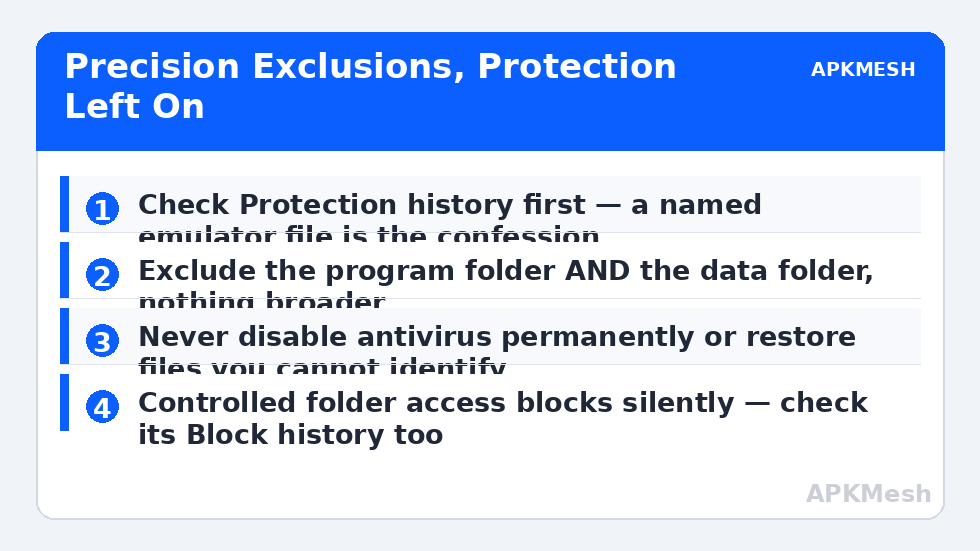
- Windows Security: Protection history (Windows Security → Virus & threat protection → Protection history) lists quarantined/removed items with timestamps and file paths. An emulator component there, timestamped when the failure began, is a signed confession.
- Third-party suites: open the quarantine/history panel; look for emulator executables, DLLs, virtual drivers (names containing the emulator brand, “VBox”, “virt”, or network driver files).
- Controlled folder access: Windows Security → Ransomware protection — if it is on, check its “Block history”: it silently stops apps writing to protected folders, which breaks emulator installs and instance creation without quarantining anything.
If protection history is clean, your problem is elsewhere — engine failures and startup hangs have their own causes (hypervisor errors, 99% loading hangs), and whitelisting a healthy install changes nothing.
Step 2: Restore the File and Add a Folder Exclusion
The correct, durable fix has two halves:
- Restore the quarantined item from Protection history (select the action “Restore”) — only for files you can identify as part of an emulator you installed from the vendor’s official site. If you cannot identify it, do not restore it; reinstall the emulator cleanly instead.
- Exclude the folders so it does not recur: Windows Security → Virus & threat protection → Settings → Manage settings → Exclusions → Add exclusion → Folder. Add: the emulator’s program folder (e.g. under Program Files) and its data folder (commonly under C:\ProgramData or your Documents, per emulator). Both matter — engines live in one, instances in the other.
- For Controlled folder access blocks: “Allow an app through Controlled folder access” and add the emulator’s main executables.
- For third-party antivirus: the equivalent is its Exclusions/Exceptions list for real-time scanning — add the same two folders there.
What Never To Do (Read This Before Forums Talk You Into It)
- Never disable the antivirus permanently to run an emulator. If a guide tells you to turn off real-time protection and leave it off, close the guide. Temporary disable only as a 60-second diagnostic — and if the emulator works only with protection off, the right conclusion is “my exclusions are wrong or this download is bad,” not “protection must stay off.”
- Never download emulators, cracks, or “pre-activated” builds from unofficial portals. This is the main way the blocking story ends with an actually-infected PC: pirated emulator bundles are a known malware channel, and their detections are true positives.
- Never exclude broad locations (whole drives, Downloads, Desktop) to make the error go away. Exclusions are holes; keep them emulator-folder-sized.
- Never restore quarantined items you cannot name. “It was in the emulator’s folder” is not identification — malware drops files into other programs’ folders too. When in doubt, delete and reinstall from the official source.
Why do heuristics flag clean emulators at all? The behaviours listed above, plus packers and updaters that resemble droppers. New emulator versions often get flagged for a few days until vendors allowlist them — which is why “it worked until today’s emulator/antivirus update” is the classic timeline, and why patience + exclusions, not panic, is the response. Install-time interception is the same story from the installer’s side, covered in the LDPlayer -110 guide.
While you are changing security settings, leave the emulator’s performance settings sane — exclusions fix blocking, not bad allocations:
Lag risk: —
Step 3: Reinstall Cleanly If the Install Is Already Mangled
If files were quarantined mid-install, the installation is incomplete in ways repair options miss. With exclusions already in place (order matters — exclusions first), uninstall the emulator, restart, and install the current build from the official website. Then launch and confirm Protection history stays clean. If a fresh official install still gets flagged, check the emulator vendor’s support page — widespread false positives get vendor advisories and fixed definitions within days, and your antivirus’s false-positive report form genuinely helps.
Firewall Prompts: The Other Half of “Blocking”
Sometimes nothing is quarantined but the emulator has no network or cannot be reached for local features, because a firewall prompt was dismissed or a rule blocks its executables. Windows Security → Firewall → “Allow an app through firewall”: confirm the emulator’s entries exist and are allowed on Private networks. In third-party suites, check the application-rules list for the emulator set to “blocked” after an update changed its executables’ hashes. Connectivity symptoms themselves are triaged in the network errors guide.
How to Verify the Fix
The emulator installs/launches three times across two days (definition updates arrive daily — a fix that survives several updates is real), Protection history shows no new emulator entries, and your exclusions list contains only the emulator’s folders. Also verify the antivirus still detects a test threat correctly — Windows Security’s status should be green overall; the EICAR test file is the standard safe way auditors confirm protection is alive, if you want certainty.
When This Will Not Work
If your PC is managed by an employer or school, exclusions may be locked by policy; the route is the IT desk, not workarounds. If the “emulator” came from a torrent or mod site and is flagged, believe the flag — no exclusion advice in this guide applies to software of unknown provenance. And some hardened setups (Windows S mode, application control policies) block virtualization software categorically; that is a platform decision, not a false positive. Everything else in this fault family is indexed in the lag and error fixes library.
Keeping the Peace Permanently
After the exclusions work, two habits keep this from recurring monthly. Keep the emulator updated through its own updater — vendors get new builds allowlisted by the major antivirus companies, and the window of false-positive risk is mostly the first days of a release, which updaters that lag a few days behind actually avoid. And when an antivirus definition update does flag something new, report the false positive through the vendor’s submission channel with the file hash; those reports are how definitions get corrected for everyone, and they take two minutes. Your exclusions stay as they are either way — narrow, folder-scoped, and tied to software from official sources.
Frequently Asked Questions
Why does my antivirus only flag the emulator sometimes?
Heuristic detection depends on behaviour and definitions that update daily. A new emulator version, a new definition set, or a feature you used for the first time (multi-instance, macro recording) can cross the line on a machine where it never did before.
Is adding an exclusion dangerous?
It is a calculated, bounded risk: files inside that folder are no longer scanned in real time. Keep the folder dedicated to the emulator, install the emulator only from the official site, and the residual risk is small. Excluding broad folders is where it becomes genuinely dangerous.
Defender deleted a file and now the emulator won’t repair. What now?
Restore from Protection history if you can identify the file, with the exclusion added first (otherwise it is re-quarantined instantly). If restore is unavailable, clean-reinstall with exclusions in place — repair routines rarely replace driver-level components correctly.
My antivirus flags the emulator download itself. Is the official site compromised?
Almost certainly a false positive on a new build — cross-check the file hash if the vendor publishes one, scan with a second opinion (the built-in Defender if you use a third-party suite, or vice versa), and check the vendor’s forum for a same-day thread before proceeding.
What about Windows SmartScreen warnings on the installer?
SmartScreen is reputation-based; brand-new builds commonly trigger “Windows protected your PC.” Verify the publisher signature on the file (Properties → Digital Signatures should name the emulator vendor), and only proceed if it checks out — never for unsigned downloads from mirrors.