
To configure dpad joystick sensitivity in an emulator for platformers, you are really tuning three different switches disguised as one control: the deadzone that decides when a stick starts counting, the threshold that decides when a walk becomes a run, and the diagonal behaviour that decides whether your character crouches when you meant to run right. Platformers expose bad values instantly — a missed ledge grab or an accidental crouch-slide is feedback you can trust. Keyboard players are not exempt from this tuning: in the emulator editor, the D-pad control you place over the game’s touch D-pad has its own size and centre, and a sloppy placement creates the same class of errors as a sloppy deadzone. This guide tunes both input paths and gives you a five-minute test course that verifies the result in any 2D platformer.
Start from the game’s side, not the emulator’s. Open your platformer and find how it distinguishes walk from run (some games use a run button, some use stick deflection, some — the touch-native ones — use how far you drag the virtual stick) because the emulator can only translate the model the game actually uses. The settings below assume the common model: a virtual analogue stick or D-pad on the left, jump and action on the right.
The Keyboard Path: D-Pad Zone Placement Is Sensitivity
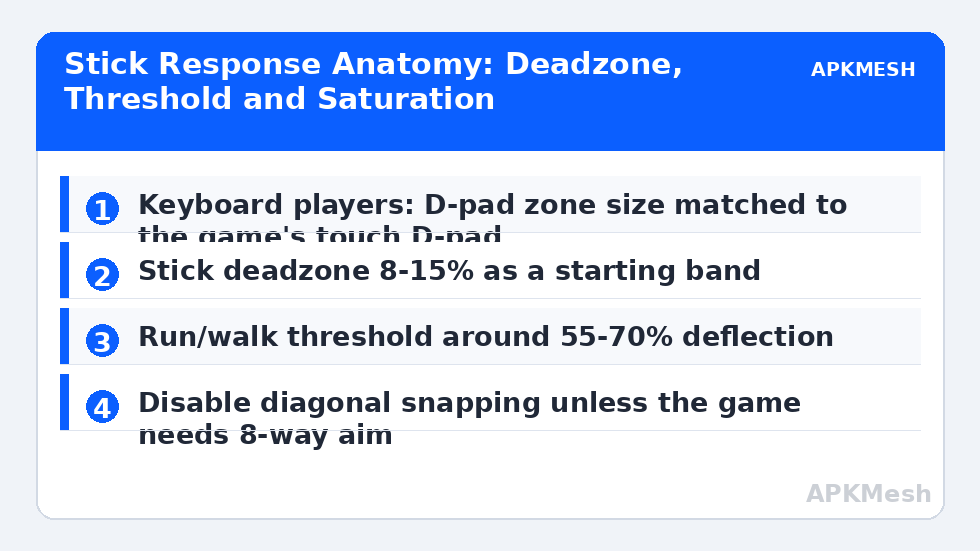
In LDPlayer’s editor and BlueStacks’ Controls Editor, drag the D-pad control onto the game’s touch D-pad or stick and match the zone’s rim to the on-screen control’s rim. If your zone is larger than the game’s, diagonal inputs register earlier than the game expects and down-right becomes crouch-slide; if smaller, hard directions need exaggerated movement from a stick and, on keyboard, nothing changes — keyboard keys are binary, so placement errors show up as missed diagonals or stuck directions when two arrow keys combine. Centre is the critical coordinate: a zone centred three pixels low makes ‘right’ read as ‘down-right’ to a strict game. Use the editor’s zoom, place once, and verify with the overlay visible in a safe area before playing.
On keyboard, choose your movement keys for diagonal comfort: arrow keys give clean two-finger diagonals; WASD works but shares fingers with jump on Space in some layouts. Many platformer players settle on arrows for movement, Z/X for the two action buttons (a homage to classic emulator layouts) and Shift for run where the game has one. Whatever you choose, bind Up as jump only if the game itself treats up as jump — mapping a second jump key into the D-pad’s up direction creates accidental jumps on ladders and ropes.
Lag risk: —
The Stick Path: Deadzone, Threshold and Saturation
For a physical pad, three numbers in the emulator’s gamepad settings (or your translator’s settings, if you route through one) define feel. Deadzone: the radius around centre that reads as zero. Too small and a worn stick’s idle drift walks your character off ledges; too large and fine movement — the slow creep before a precise jump — disappears. Start at 10% and adjust by symptom. Run threshold: the deflection where the emulator (or game) switches walk to run, typically presented as the outer threshold or sensitivity curve. Around 60% suits most platformers: deliberate pushes run, careful nudges walk. Saturation: where full deflection is reached; if your stick physically travels further than the game expects, lower saturation so full run arrives before the stick hits its rim, reducing hand fatigue in long sessions.
If your emulator exposes a response curve (linear vs dynamic/aggressive), platformers reward linear. Curves that boost late travel make max-speed control twitchy exactly when you are threading a spike corridor at full sprint. Keep the curve boring; spend your flair on the level, not the settings.
| Setting | Start value | Too low looks like | Too high looks like |
|---|---|---|---|
| Deadzone | 10% | Character creeps/drifts at rest | Small movements ignored; stiff starts |
| Run threshold | 60% deflection | Accidental running near edges | Must slam stick to run; tired thumb |
| Saturation (outer) | 95-100% | Full speed unreachable | No fine control at high speed (at 100% it is neutral) |
| Response curve | Linear | — | Dynamic curves make sprint control twitchy |
| Keyboard D-pad zone | Match on-screen rim | Missed diagonals (too small on stick path) | Phantom diagonals / crouch-slide (too large) |
Diagonals, Ladders and the Down Problem
The signature platformer input bug is unwanted crouching or dropping through one-way platforms when running. Its cause is a diagonal: your right input carries a downward component the game reads as down+right. On keyboard, the fix is placement (centre the zone) and technique (release Down cleanly before pressing Right after a crouch). On stick, raise the deadzone slightly and check whether the emulator offers diagonal angle adjustment — some gamepad panels let you narrow the diagonal sectors so the cardinal directions get more angular room. Games with a dedicated drop-through command (down+jump) are less sensitive; games where down alone drops are where this tuning earns its keep.
Ladders and ropes add the inverse problem: you need up and down to engage reliably without sideways drift ejecting you. Practise the transition in a safe room: run, jump to ladder, climb, exit at top. If exiting sideways fails, your up input is leaning; if climbing starts with a jump, your jump binding overlaps the stick’s up in the scheme. untangle those two before blaming the game.
The Five-Minute Test Course
Build this once per game and reuse it after any settings change. In an easy early level: (1) stand still for ten seconds — any movement is drift; fix deadzone. (2) Walk the length of a flat corridor at the slowest speed the game allows, then at walk speed, then run — all three states must be reachable on purpose. (3) Ten tap jumps and ten full jumps against a marked wall — heights must be consistent within each type. (4) Run right, then hard left: the turnaround should be immediate, not a skid you did not ask for (some games skid by design; learn which). (5) Crouch, then run from crouch — no accidental drop-through on a one-way platform if the game has them. Failures map one-to-one onto the settings above; adjust one value, rerun the failed drill only, and stop when the course is clean twice in a row.
Save the finished setup as its own scheme named for the game, even if it resembles your general pad scheme. Platformers are where per-game tuning pays rent, and borrowing a scheme tuned for a twin-stick shooter is how the down problem returns wearing a new costume — the same per-game discipline we recommend for controller layouts generally.
Related Keymapping Guides
More from this category is collected in the Keymapping Guides archive. These companion guides go deeper on the topics touched above:
- connecting console controllers to emulators
- trigger and bumper mapping for action RPGs
- unresponsive keys troubleshooting
Frequently Asked Questions
Why does my character crouch or drop through platforms when I run?
Your right input includes a downward component — a mis-centred D-pad zone on keyboard/mouse mapping, or a stick whose diagonals are too generous. Re-centre the zone, raise the deadzone slightly, and narrow diagonal sectors if your gamepad panel offers it.
What deadzone should I start with for platformers?
Around 10% suits most pads in decent condition. If the character creeps at rest, raise it a couple of points; if careful small movements feel ignored, lower it. Change in small steps and rerun a stand-still test each time.
Should jump be on the stick’s up direction as well as a button?
Only if the game itself uses up-to-jump. Adding it in the emulator creates accidental jumps on ladders, ropes and menus. Keep jump on a face button (and Space/Z on keyboard) and leave the stick purely for movement.
My run only starts when the stick is fully pushed. How do I make it earlier?
Lower the run (outer) threshold toward 55-60% deflection in the gamepad settings so a deliberate push reaches run before the stick hits its rim. If the game uses a run button instead, this setting will do nothing — check the game’s movement model first.
Do these settings carry between games?
The deadzone roughly does (it is mostly about your pad’s condition), but thresholds and zone placement are per game because virtual stick sizes and walk/run models differ. Save a named scheme per platformer and reuse the test course to validate it.