
Rhythm games expose bad keymapping faster than any shooter, because the judge window is measured in milliseconds and every note is a pass-or-fail test. Good keymapping rhythm games emulator keyboard setup is not about cramming every lane onto comfortable letters; it is about giving each lane a distinct finger, removing every source of extra delay or repeated input, and making hold and slide notes behave exactly as the game expects a finger to behave. A layout that feels fine in a menu can collapse the first time a chart asks for two holds and a fast alternating pattern at once.
This guide covers four-lane, six-lane and seven-lane style charts played on BlueStacks and LDPlayer, plus the free-slide designs where notes can appear anywhere on a track. The principles stay honest ones: plain tap spots beat clever controls, keyboard ghosting is a real hardware limit you must test for, and an emulator cannot fix a chart that was designed around multi-touch if you insist on playing it with a single mouse pointer. Where the mouse genuinely helps, we will say so; where it hurts, we will say that too.
Assign One Finger per Lane, and Never Share
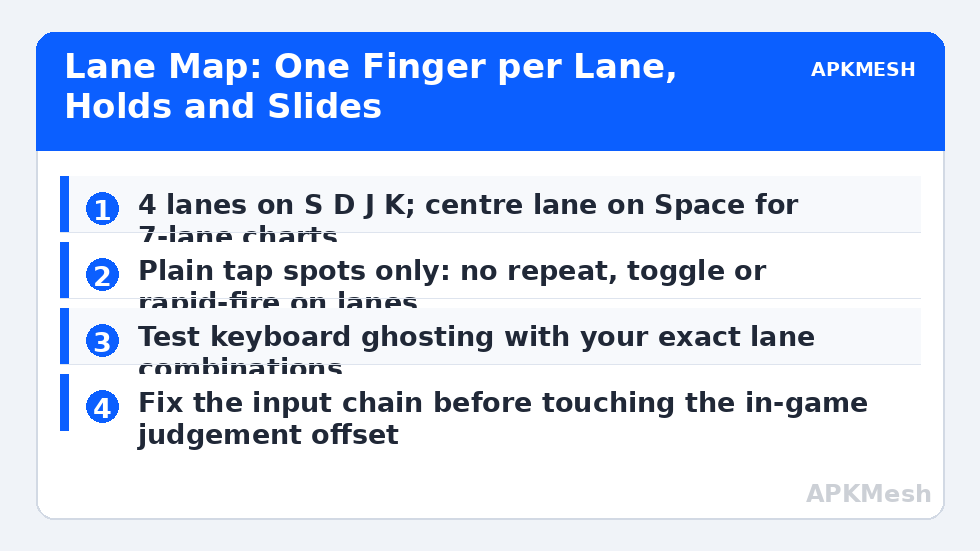
Start with the home row. For a four-lane game, S, D, J and K give your middle and index fingers one lane each, with your hands in a natural typing posture. For six lanes, extend to D, F, G on the left and H, J, K on the right, or shift outward to S through L if your keyboard and hands prefer it. Seven-lane charts usually add a centre or special lane: put it on Space, struck with either thumb, because the thumb is otherwise unemployed and strong enough for repeated special notes. Write the assignment down before opening the emulator editor, because deciding lanes while dragging tap spots leads to mirrored mistakes you only discover mid-song.
Place one plain tap spot per lane, centred on the lane’s receptor or the lower part of the track where notes are judged, matching the size of the touch area the game expects. Do not use swipe controls, repeat settings, or macros for ordinary notes. Every added behaviour adds timing uncertainty, and rhythm judging punishes uncertainty without mercy. If your emulator editor offers a control type designed for repeated tapping or rapid fire, leave it out of this profile entirely; this scheme should contain nothing except lane taps, a pause key, and perhaps a mouse setting for menus.
| Chart style | Suggested keys | Fingers used | Notes |
|---|---|---|---|
| 4 lanes | S D J K | Middle and index, both hands | Most forgiving layout for beginners |
| 6 lanes | D F G H J K | Ring, middle, index, both hands | Check ring-finger speed on fast stairs |
| 7 lanes | S D F Space J K L | Three fingers per hand plus thumb | Space covers the centre or scratch lane |
| Slide / free track | Mouse with a hold key, or lanes if chart allows | Mouse hand plus lane fingers | Test whether the game accepts key lanes at all |
| Pause / restart | Esc and R on a separate scheme area | Either hand, away from lanes | Keep away from lane keys to avoid accidents |
Hold Notes, Slide Notes and Release Timing
Hold notes test a different part of the mapping: the key must stay down for the full body of the note and release close to its tail. Mechanical and membrane keyboards both handle sustained presses reliably, so failures here usually come from the emulator layer. Check that your tap spot has no repeat or toggle behaviour attached, because a control that re-fires while held can break a hold into a series of taps in games that judge the head and tail separately. Also test simultaneous holds early. Some charts demand two holds plus a tap pattern from the other hand, and a scheme that was only ever tested one lane at a time will hide its weaknesses until that exact moment.
Slide notes, where a finger drags along a path, are the honest limit of keyboard mapping. If the game translates slides into lane movements, your lane keys can follow the pattern. If the slide is a true free drag, the mouse is the only workable tool: hold the left button and trace the path, accepting that your lane hand must cover taps meanwhile. Many players therefore keep two schemes for slide-heavy titles, a pure keyboard scheme for lane charts and a hybrid scheme for slide charts, and switch per song rather than forcing one layout to do a job it does badly.
Lag risk: —
Latency, Ghosting and the Judgement Offset
Before blaming your sense of rhythm, test the keyboard itself. Open a simple key test in Windows and press the exact three- and four-key combinations your hardest chart uses. Some inexpensive keyboards cannot report certain combinations at once, a hardware limit called ghosting, and no emulator setting can repair it. If a combination fails, move the affected lane to a different physical key rather than lowering the difficulty and pretending the problem went away. Gaming keyboards advertise n-key rollover, but what matters is your keyboard, tested with your lane set.
Then separate input delay from audio delay. If notes look early but sound right, adjust the game’s judgement or offset setting in small steps; if hits register late on both sight and sound, work on the input chain instead: wired keyboard, overlays closed, and the emulator running at a stable frame rate. Change the in-game offset only after the chain is clean, and change it by ear with a simple, slow song you know well. A familiar easy chart is a better calibration tool than a hard chart where your own timing is already ragged.
Practice Routines That Respect the Mapping
Build accuracy in layers. Start with charts that use only two fingers per hand and no holds, and aim for consistent judgement grades rather than a full combo at any cost. Add holds once single notes are stable, watching specifically for early releases, which usually mean your finger is lifting in sympathy with a tap from the same hand. Add alternating fast patterns last, and practise them slowly in the game’s practice mode if it offers one. When a particular pattern keeps failing, ask whether the failure is musical or mechanical: if the same finger must strike twice while another finger holds, the chart may be asking for a fingering your layout cannot give, and reassigning one lane for that song is a legitimate solution, not a defeat.
Keep a short settings note per game: lane keys, offset value, emulator frame rate target, and any song-specific swaps. Rhythm games receive new charts constantly, and the note lets you return after a month away without rebuilding your calibration from memory and guesswork.
Related Keymapping Guides
Return to the APKMesh homepage for the wider emulator library, and read these companions next:
- setting up double-tap and swipe gestures for the slide and menu gestures this scheme deliberately avoids for notes
- mapping keyboard shortcuts for typing and navigation to keep menus and song search painless between charts
- creating multi-touch combo keys when a chart or game demands several simultaneous touches from one press
Frequently Asked Questions
Which keys are best for a four-lane rhythm game on an emulator?
S, D, J and K are the most common starting point because your index and middle fingers rest on them naturally and each lane gets its own finger. The best layout is ultimately the one your keyboard can report simultaneously without ghosting, so test your exact key set with three- and four-key presses before committing to it.
Why do my hold notes break in the middle even though I keep the key down?
The usual cause is a tap spot with repeat, toggle or rapid-fire behaviour attached, which turns one long press into repeated inputs. Remove every extra behaviour from lane controls so a press is a plain press. Also check that another control or macro is not sharing the same key and interrupting it.
Can I play slide-note charts properly with only a keyboard?
Only when the game converts slides into lane movements. True free-drag slides need a pointer, so a hybrid scheme with the mouse for slides and keys for taps works better. Forcing a pure keyboard layout onto a drag-based chart produces misses that are the mapping’s fault, not yours.
How do I fix notes that feel consistently early or late?
First clean the input chain: wired keyboard, stable frame rate, overlays closed. Then use the game’s judgement offset setting and adjust it in small steps on an easy song you know well. If sight and sound disagree, you have an audio or display offset problem rather than an input problem.
Does a gaming keyboard really matter for emulator rhythm games?
It matters mainly for rollover: the ability to report many simultaneous keys. Fast charts routinely need three or four lanes at once, and a keyboard that ghosts those combinations will drop notes no setting can recover. You do not need an expensive board, just one whose rollover you have tested with your lane keys.